

Last Updated on June 17, 2026
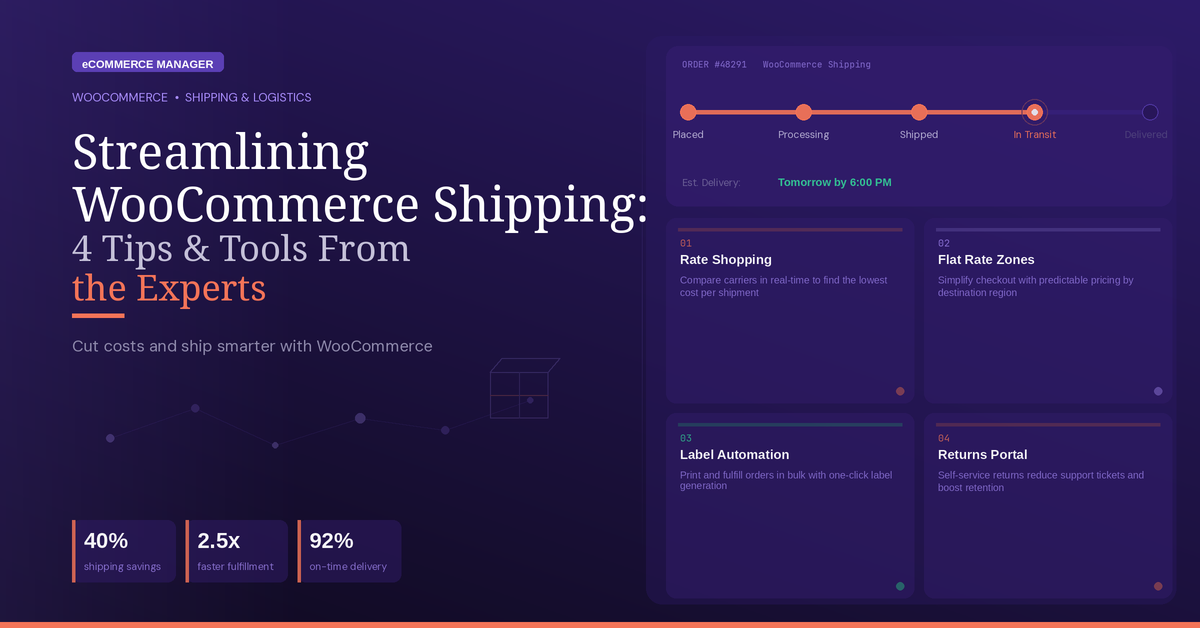
Streamlining WooCommerce Shipping: 4 Tips & Tools From the Experts
Shipping can make or break an online store, yet many WooCommerce retailers struggle with inefficient processes that cost them time and money. This article brings together proven strategies and practical tools to help streamline your shipping operations, featuring insights from industry experts who have solved these challenges at scale. From automation platforms to rate management and product data standards, these tips will help you build a more efficient fulfillment system.
- Standardize Product Data And Clarify Policies
- Decouple Software And Rates Via ShipStation
- Automate Fulfillment With One Connected Platform
- Use Table Rules For Zones And Labels
The State of eCommerce in 2026
Standardize Product Data And Clarify Policies
One of the best ways to simplify shipping in a WooCommerce store is to reduce the number of exceptions your team has to manage manually. Most shipping headaches don’t come from carrier rates. They come from edge cases, inconsistent product data, and rules that only live in someone’s head.
What works best for us is a clear shipping logic tied to product attributes. If weight, pack size, hazmat status, or temperature sensitivity are wrong at the catalog level, the checkout and warehouse process both get messy fast. We move 50K+ units a month across 8 brands, and the teams that ship cleanly are usually the ones that made the back-end data boring and accurate.
The method I’ve found most effective is building a tight handoff between the store, the shipping software, and the warehouse pick flow. That means fewer custom exceptions, clearer packaging rules, and realistic delivery promises on the front end. Customers care less about how sophisticated the system is than whether the order ships on time and arrives exactly as expected. Clean shipping operations usually start with cleaner product data.
The Complete 2025 E-commerce Manager Career Guide: From Entry-Level to Executive

Decouple Software And Rates Via ShipStation
Our advice at Mrs. Shippie when a client wants to streamline the shipping experience on a WooCommerce site is to decouple your shipping software from your carrier rates. E-commerce site owners often use shipping plug-ins for convenience, but convenience always comes at a price.
The most effective shipping tool for a WooCommerce site is ShipStation. ShipStation allows you to plug in your own custom-negotiated carrier account, and it is incredible for automating your busy work. It can pull orders, batch print labels, and trigger tracking emails. However, to make the most of this, connect a dedicated, highly discounted UPS account directly in the dashboard. Securing custom rates through an authorized 3PL reseller gives you the seamless workflow of a premium software tool while maintaining your autonomy to secure custom, volume-based carrier discounts that scale with you.

Automate Fulfillment With One Connected Platform
One of the best ways to streamline shipping for a WooCommerce store is to stop treating fulfillment like a series of manual tasks. The moment an order comes in, the process should already know the carrier options, service level, label rules, tracking flow, and customer notification path. That reduces errors, speeds up packing, and keeps your team from bouncing between tabs just to get one package out the door.
The most effective method I’ve seen is connecting WooCommerce to a shipping platform that centralizes rates, label creation, tracking, and post-purchase updates in one place. It’s especially helpful when it can automate shipping rules, like choosing the lowest-cost carrier for ground delivery or upgrading service based on cart value, destination, or promised delivery date. That kind of setup saves time without forcing the business to sacrifice margin on every shipment.
The bigger win is fewer “Where is my order?” tickets. Once tracking is clean, timely, and easy for customers to find, support volume drops and the customer experience feels more polished. Shipping isn’t just a back-end function anymore. It’s part of the buying experience, and the smoother it feels after checkout, the more confidence customers have in coming back.

Use Table Rules For Zones And Labels
Set up conditional shipping zones with table rate shipping instead of relying on WooCommerce’s default flat rate or free shipping options. The default setup forces you into rigid pricing that either overcharges close customers or undercharges distant ones. Neither is good for margins or conversions.
I use the Table Rate Shipping plugin for most of my WooCommerce clients. It lets me set shipping costs based on weight, item count, destination, and order total in combination. For one client selling handmade ceramics, fragile items over a certain weight needed different packaging and a different carrier. Table rate rules handled that automatically without the customer seeing any complexity.
The biggest time saver was connecting the shipping plugin directly to the fulfilment provider’s API so labels generate automatically when an order hits “processing.” That removed about 15 minutes of manual work per order and cut shipping errors to almost zero. For any WooCommerce store doing more than 30 orders a week, automating label generation pays for itself within the first month.

Related Articles
- WooCommerce Inventory Management: 12 Tips for Growing Businesses
- 22 Most Effective Tips for Streamlining Ecommerce Shipping and Fulfillment
- WooCommerce Product Page Optimization: Tips for Increasing Conversions