

Last Updated on October 27, 2026
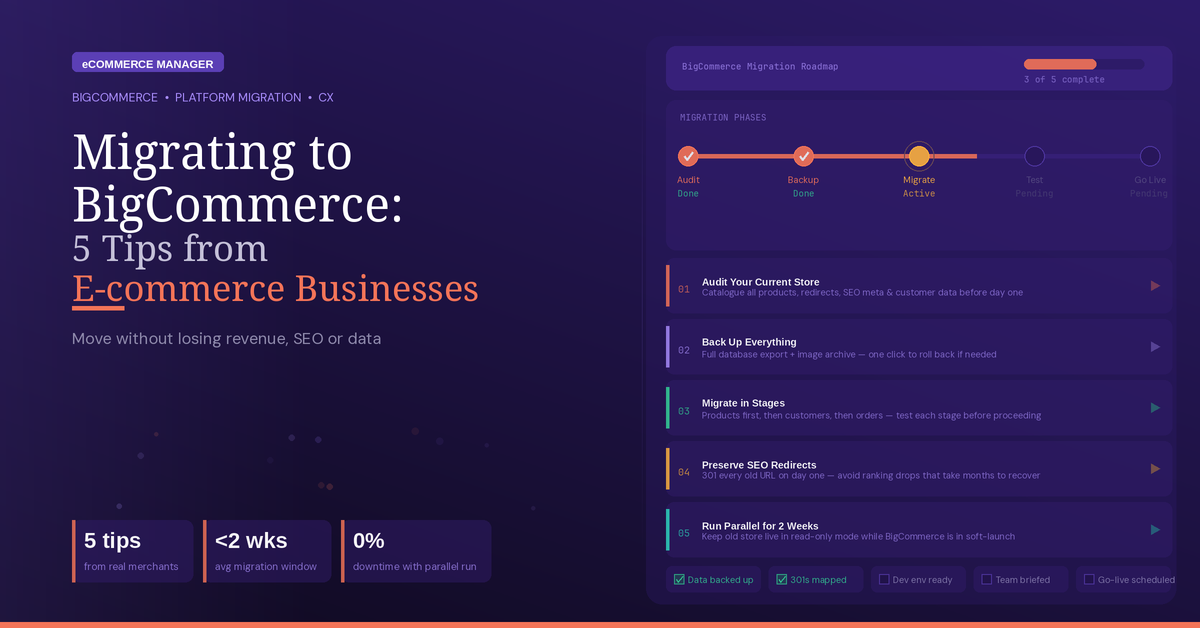
Migrating to BigCommerce? 5 Tips From E-commerce Businesses
Moving to BigCommerce can bring major opportunities, but a poorly planned migration can create costly problems. E-commerce experts share five practical tips to help protect search rankings, product data, system connections, and business operations. Use these steps to make the transition smoother and avoid common migration mistakes.
- Export Indexed Pages Early
- Test Every System Connection
- Audit Product Claims First
- Validate Connected Business Processes
- Map URLs Before Migration
Export Indexed Pages Early
Marketing Calendar: A Complete Guide
Six years running ecommerce ops, including one migration onto BigCommerce that took roughly twice as long as scoped.
The advice is to audit your URLs before you touch anything else. Not the products, not the theme, the URLs. Export every indexed page from Search Console, not just the ones in your sitemap, because the sitemap is what you think exists and Search Console is what Google found.
Ours had a few thousand pages nobody knew about. Old category filters, discontinued products with links pointing at them, a whole subfolder from a promotion four years earlier. The ones that mattered had backlinks on them.
Most of the migration horror stories I’ve heard are really redirect stories. The platform works fine. What broke was traffic to pages nobody remembered owning.
Budget a week for the mapping and expect to find things that make you uncomfortable.
 Fahad Khan, Digital Marketing Manager, Ubuy Germany
Test Every System Connection
Marketing Calendar: A Complete Guide
Before I moved a single SKU, I’d open the product feed that pushes my catalog out to other sales channels and write down every field it depends on, things like GTIN, product handle, variant SKU, image order, and ingredient copy. Running one health and wellness catalog across marketplaces and my own DTC store at the same time, the storefront is rarely the fragile part for me. The connections between systems are.
So my plan starts with a plain spreadsheet. Every old URL mapped to its new one, every product identifier that outside channels already recognize, and every automation that fires when an order comes in, like fulfillment routing, subscriptions, and review requests. Anything that can break quietly goes at the top of the list.
Then I’d stage the new store and push real orders through it before cutting over. I’d run a simple product, a variant, a bundle, and a subscription all the way to fulfillment and the confirmation email instead of stopping at the thank-you page. The confirmation email is usually where I discover a field didn’t map.
And I’d schedule the switch for my slowest week, not around a launch or a promotion. If paid traffic and a marketplace sync are both live when something goes sideways, I can’t tell which one caused it.
 Ben Frederick MD, Founder, Dr. Frederick’s Original
Audit Product Claims First
Document each claim from each product page prior to migrating your products. For example, when you migrate a direct-to-consumer (DTC) supplement product stack, as we did with Happy V’s, a single move will touch every structure-function claim you’ve ever made for that brand – all live and editable at once.
Our pre-move audit – old URL, claim wording exactly as it was copied, supporting reference, redirect target, etc. – helped us catch the inconsistencies that our team had introduced via copy edit changes over the years. We then got our regulatory lead to approve in the spreadsheet before we launched the new site. The bottom line is if you do not perform an audit prior to moving products, you will find the errors after the FTC does.
 Hans Graubard, COO & Cofounder, Happy V
Validate Connected Business Processes
The Complete 2025 E-commerce Manager Career Guide: From Entry-Level to Executive
My primary advice is to approach migration as a business-process project, not merely a platform change.
Before migrating, I map all systems connected to the store, including inventory, payments, shipping, customer data, accounting, marketing, and any others reliant on ecommerce data. A store may appear functional while critical downstream processes still depend on the old setup.
I also validate data before migration, rather than assuming it can be copied directly. Product records, customer information, order history, and other data often contain inconsistencies that are more difficult to resolve post-migration.
For the transition, I recommend a phased approach when possible. Test integrations, validate key workflows, and ensure critical business processes function before decommissioning the old system.
The most costly migration issues typically arise not from the storefront, but when connected systems lose access to necessary information or when unidentified manual workarounds are overlooked before the transition.
 Jamie Royce, CEO, MindCloud
Map URLs Before Migration
My recommendation: create a URL map before doing any other migrations.
Almost all online stores concentrate on migrating product content and visual design and later find out that hundreds of their old URLs are no longer found by Google, as they are getting 404 errors.
In our case, we extracted every indexed URL both from Google Search Console and the old platform, totaling 1,850 links, and created a map for redirecting each of them to the corresponding URLs at BigCommerce via 301 redirects. Besides, we tested our migration by importing 100 products and fixed the issues with product variants and image formatting that were going to affect around 15% of our product catalog.
Result: our organic traffic decreased by just 6% during the first two weeks and completely recovered by week 5. Stores that do not perform this step regularly experience drops in traffic of 30% or more.
The State of eCommerce in 2026
Tip: Consider redirects and a test import as a must-do before launch.
 Faizan Khan, PR and Content Marketing Specialist, Ubuy Singapore
Related Articles
- Starting Out with BigCommerce? 7 Tips for Beginners
- Scaling Your BigCommerce Business: Expert Advice and Strategies
- Starting a BigCommerce Business: Advice From Experienced Sellers