

Last Updated on June 21, 2026
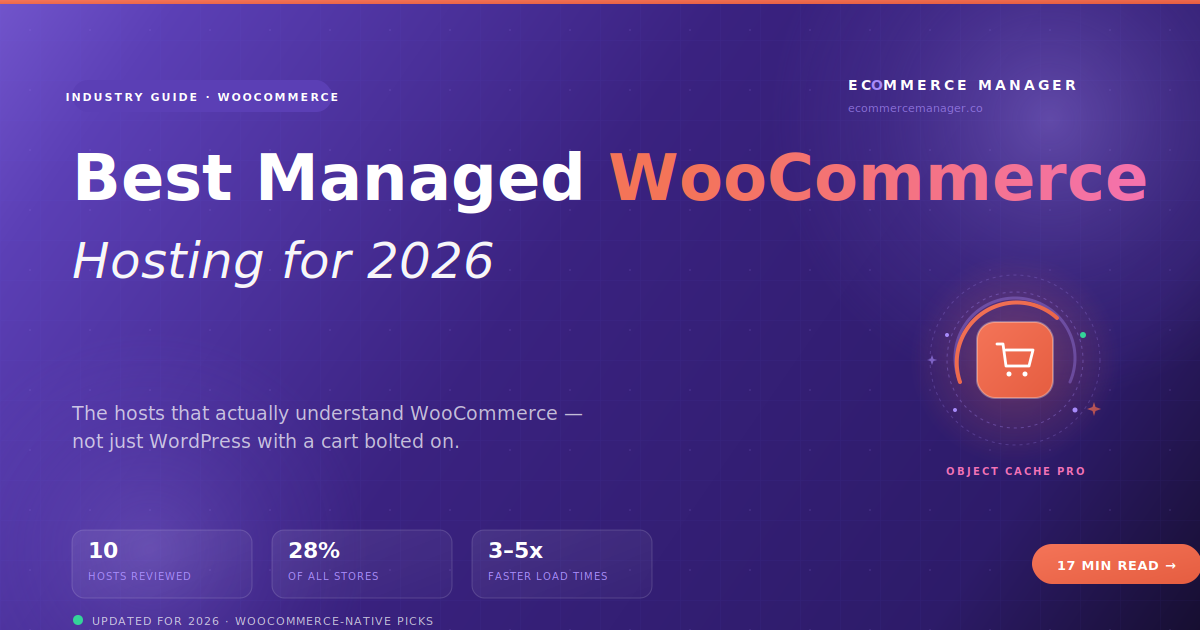
The Best Managed WooCommerce Hosting in 2026
Your WooCommerce store isn’t slow because of WooCommerce. It’s slow because you’re hosting it like a regular WordPress blog. Here are the specialty hosts that solve the problems generic WP hosting doesn’t even diagnose.
- Why WooCommerce Breaks Generic Hosting
- What "Managed WooCommerce" Means
- Quick Comparison Table
- 1. Nexcess
- 2. Kinsta
- 3. WP Engine
- 4. Cloudways
- 5. Mad-ez Domains
- 6. Pressable
- 7. Rocket.net
- 8. Convesio
- 9. Pantheon
- 10. Hostinger Managed
- 11. Bluehost WooCommerce
- Migration Considerations
- How to Choose
- FAQ
Table of Contents
- Why WooCommerce Breaks Generic Hosting
- What "Managed WooCommerce" Means
- Quick Comparison Table
- 1. Nexcess
- 2. Kinsta
- 3. WP Engine
- 4. Cloudways
- 5. Mad-ez Domains
- 6. Pressable
- 7. Rocket.net
- 8. Convesio
- 9. Pantheon
- 10. Hostinger Managed
- 11. Bluehost WooCommerce
- Migration Considerations
- How to Choose
- FAQ
Overview
WooCommerce powers somewhere between 25% and 30% of all ecommerce websites globally. The ones that scale well have something in common, and it isn’t a magic plugin. They’re hosted on infrastructure built specifically for what WooCommerce does to a web server — which is very different from what a blog or brochure site does. Most stores never figure this out. The ones that do stop fighting their hosting and start growing.
Why WooCommerce Breaks Generic WordPress Hosting
WordPress and WooCommerce are not the same product from a hosting infrastructure perspective. A blog can be aggressively page-cached, run on minimal PHP memory, and handle hours of inactivity between requests. A WooCommerce store does the opposite of all three. Every page that includes cart contents, checkout, or account data is uncacheable. Every order writes to the database. Every scheduled action — abandoned cart emails, subscription renewals, inventory updates — relies on background jobs that generic hosts handle badly.
Page caching doesn’t work on dynamic pages
Cart, checkout, and account pages can’t be page-cached. Without object caching (Redis or Memcached), every visit hits the database directly.
WP_Cron fails silently at scale
WooCommerce relies on cron for abandoned-cart emails, subscription renewals, scheduled actions. On shared hosting, WP_Cron only runs when someone visits, and breaks under load.
Database bloat nobody warns you about
Order history, customer sessions, scheduled actions, and abandoned carts pile up. Without managed query optimization, the slow checkout you can’t explain is usually database slowness.
PHP memory limits crush you
Default WordPress hosts allocate 128MB PHP memory. WooCommerce with five or six common plugins needs 256MB minimum. Try uploading a 5,000-product CSV on 128MB.
Traffic spikes blow up shared hosting
Launches, sales, flash promotions — the moments your store earns the most — are also the moments generic shared hosting falls over. Auto-scaling is critical.
Staging environments are usually fake
WooCommerce plugin updates break things constantly. You need a real staging environment that mirrors production, not a clone-and-pray button.
What “Managed WooCommerce” Actually Means
“Managed WooCommerce hosting” gets thrown around carelessly by marketing teams. Here’s the operator’s checklist. Real managed WooCommerce hosting includes all eight of these configured by default, not as paid add-ons:
- Object caching (Redis or Memcached) — preferably with Object Cache Pro pre-installed. The single biggest WooCommerce performance variable.
- Server-level cron handling — not WP_Cron. Real OS-level cron via Action Scheduler so scheduled tasks actually run on time.
- Database optimization — automated table cleanup, index optimization, and scheduled removal of orphaned data.
- PHP 8.1+ with 256MB+ memory — and the ability to bump higher without “contacting support to discuss your plan.”
- Auto-scaling or burst capacity — so a sale or podcast feature doesn’t take your store down.
- Real staging environments — full-database clone, syncable both directions, with one-click push.
- WooCommerce-aware support — engineers who diagnose “why is my checkout slow” with WooCommerce-specific tools.
- Backups that include the database, frequently — daily minimum, ideally every 6 hours for live ecommerce.
If a host doesn’t tick all eight, they’re selling WordPress hosting with a WooCommerce label.
Quick Comparison: 11 Managed WooCommerce Hosts
“Object Cache Pro included” is a meaningful tell — most generic hosts charge for it as an add-on or don’t offer it at all.
| Host | Best For | Starting Price | Object Cache Pro | Auto-Scaling |
|---|---|---|---|---|
NX Nexcess |
Pure WooCommerce focus | $15.83/mo | ✓ Included | ✓ Yes |
KN Kinsta |
Premium revenue sites | $35/mo | ✓ Included | ✓ Yes |
WE WP Engine |
Agency-managed stores | $25/mo | ✓ Included | ✓ Yes |
CW Cloudways |
Mid-stage flexibility | $14/mo | ✓ Included | ✗ Manual/No |
MZ Mad-ez Domains |
All-in-one operators | $1.99/mo | ✗ No | ✗ Manual/No |
PR Pressable |
Automattic-native shops | $25/mo | ✓ Included | ✓ Yes |
RN Rocket.net |
Speed-obsessed stores | $30/mo | ✓ Included | ✓ Yes |
CV Convesio |
High-traffic stores | $50/mo | ✓ Included | ✓ Yes |
PT Pantheon |
Enterprise dev teams | $41/mo | ✓ Included | ✓ Yes |
HG Hostinger |
Budget Woo stores | $3.99/mo | ✗ No | ✗ Manual/No |
BH Bluehost |
WooCommerce beginners | $5.95/mo | ✗ No | ✗ Manual/No |
Object Cache Pro is a premium Redis-based caching plugin for WordPress. It costs roughly $95/month standalone. The hosts that include it free are effectively giving you $1,140/year of WooCommerce-specific optimization. For a serious store, this is the single largest performance differentiator between managed and non-managed hosting.
Which platform fits your store?
Compare Shopify, WooCommerce, BigCommerce, and more with our interactive platform calculator.
Nexcess (Liquid Web)
Nexcess is the rare host that treats WooCommerce as a first-class platform rather than a supported app. Their Managed WooCommerce plans ship with WooCommerce pre-installed and pre-configured, Object Cache Pro included, and over $1,500 in premium plugins bundled at no extra cost. The Sales Performance Monitor tracks store performance metrics that correlate with conversion, not just generic uptime. When your support team is debugging “why is checkout slow at 4pm on Wednesdays,” they actually understand the question. Owned by Liquid Web, which means enterprise-grade infrastructure underneath.
Kinsta
Kinsta isn’t WooCommerce-specific the way Nexcess is, but the infrastructure is high-end enough that WooCommerce thrives on it anyway. Object Cache Pro is included on all plans, the Google Cloud Premium-tier network adds genuine latency advantages, and Cloudflare Enterprise comes free. Support can debug WooCommerce-specific issues at a depth that infrastructure-focused hosts can’t match. The trade-off is the entry price ($35/month) and visit-based limits that can push stores into higher tiers as they grow. For most $100K–$500K WooCommerce stores, the entry tier covers it.
WP Engine
WP Engine’s “eCommerce Solution” is a paid add-on that turns standard managed WordPress hosting into proper WooCommerce hosting — Object Cache Pro, premium caching plugins, and WooCommerce-specific performance tuning. The platform underneath is enterprise-grade, with Git push-to-deploy, white-label client portals, phone support, and developer tooling that makes agencies love it. Smart Plugin Manager auto-tests plugin updates against staging before pushing them to production.
Cloudways
Cloudways is a management layer on top of five enterprise cloud providers — DigitalOcean, Vultr, Linode, AWS, and Google Cloud — letting you pick your underlying infrastructure while Cloudways handles WordPress and WooCommerce optimization. Object Cache Pro is included, the Breeze caching plugin is WooCommerce-tuned, and you can host unlimited sites per server with no per-site pricing penalty. The trade-off is slightly less hand-holding than Kinsta or WP Engine. For technical founders or agencies running multiple WooCommerce stores, that flexibility saves real money.
Mad-ez Domains
Mad-ez Domains offers a consolidated approach to WooCommerce hosting — domain registration, cPanel hosting, an integrated online store builder, and marketing tools from a single provider. The hosting tiers range from shared cPanel to fully managed VPS and dedicated servers, so there’s a path to scale without switching providers. WooCommerce installs one-click through cPanel’s Softaculous, and the VPS tiers offer the dedicated resources that WooCommerce needs for real checkout performance. The Phoenix-based company bundles 24/7 support across all services. The trade-off: as a reseller infrastructure provider, you’ll want to benchmark checkout load times against dedicated WooCommerce specialists before committing to a high-traffic store. For operators in the sub-$100K range who value having one vendor for domains, hosting, and platform setup, the consolidation math works.
Pressable
Pressable is owned by Automattic, the company behind WordPress.com and WooCommerce itself. That ownership means Pressable gets WooCommerce updates, security patches, and infrastructure changes from the source. Jetpack Security and Backup come bundled (worth $40/month standalone), and the platform runs on VIP-grade infrastructure. The trade-off: the dashboard is more functional than polished. For owners who care about technical fit over UI, Pressable is a quiet powerhouse.
Rocket.net
Rocket.net’s pitch is the simplest on this list: the fastest managed WordPress host you can buy without going enterprise. Cloudflare Enterprise on every plan (no upsell), LiteSpeed servers with NVMe storage, and Object Cache Pro baked in. Benchmark testing consistently puts Rocket.net at the top for TTFB. The platform is newer than Kinsta or WP Engine, so the ecosystem is smaller. On raw performance, Rocket.net is hard to beat.
Convesio
Convesio is the most architecturally different host on this list. Where every other managed host runs on traditional virtual servers, Convesio runs WordPress in Docker containers that auto-scale horizontally during traffic spikes. When your store gets hit by a podcast feature, a viral TikTok, or a Black Friday rush, Convesio spins up additional containers automatically. Self-healing infrastructure means if one container dies, another replaces it in seconds. For DTC brands running flash sales or drops, this architecture is meaningfully different. The catch: $50/month entry and a smaller ecosystem.
Pantheon
Pantheon isn’t built for non-technical owners. It’s built for development teams that want WordPress and WooCommerce on enterprise-grade managed infrastructure with serious dev/test/live workflow tooling. Git workflow, multi-environment deployment, custom upstreams, terminal access. Object Cache Pro included, Google Cloud underneath. For a small business WooCommerce store with technical staff, it’s an excellent fit. For a solo founder who wants to click “deploy,” it’s overkill.
Hostinger Managed WooCommerce
Hostinger added a specific Managed WooCommerce tier in 2024 that sits between their shared hosting and the premium managed Woo specialists. WooCommerce comes pre-installed, the infrastructure uses LiteSpeed, and there’s a Woo-specific caching configuration. What you don’t get: Object Cache Pro, real auto-scaling, or premium plugin bundles. For an early-stage store that’s outgrowing generic shared hosting but isn’t ready for Nexcess pricing, Hostinger’s Managed WooCommerce is a real middle option.
Bluehost WooCommerce
Bluehost is one of three hosts officially recommended by WooCommerce.com, which is partly commercial but partly because Bluehost genuinely makes WooCommerce setup beginner-proof. The WooCommerce tier includes a guided launch wizard, payment gateway integrations pre-configured, and phone support that picks up. The downside: performance lags behind real specialists, Object Cache Pro is an add-on, and once your store gets serious you’ll outgrow this tier. Best understood as a starting point — Bluehost gets first-time WooCommerce founders live in a weekend, and most migrate elsewhere by year two.
Object Cache Pro Is the Single Biggest Variable
If you remember one thing from this article: when comparing managed WooCommerce hosts, ask whether Object Cache Pro is included or sold as an add-on. Hosts that include it (Nexcess, Kinsta, WP Engine, Cloudways, Pressable, Rocket.net, Convesio) are giving you $95/month of performance optimization free. Hosts that charge extra are pricing the actual managed experience higher than the sticker price suggests.
A Note on Migration
Migrating a live WooCommerce store between hosts is harder than migrating a blog because of the database. Orders, customer accounts, scheduled subscriptions, and abandoned carts all live in the database, and a snapshot-and-restore migration can leave you with orphaned orders or duplicate records if done wrong.
Every host on this list offers free migration. Not all migrations are equal. Pressable and Nexcess have dedicated WooCommerce migration teams who understand the platform-specific gotchas. If you’re migrating a store doing meaningful revenue, ask: “Do you have WooCommerce-specific migration support, or is it a general WordPress migration tool?”
Need an agency to help migrate?
Browse vetted ecommerce agencies in our directory — filtered by specialty, budget, and platform expertise.
How to Actually Choose
Three questions that point you to the right host. Answer them honestly, not aspirationally:
1. What stage is your store?
Under $50K/year
Hostinger or Bluehost WooCommerce
$50K – $300K/year
Cloudways or Nexcess
$300K – $2M/year
Nexcess, Kinsta, or Rocket.net
$2M+/year
Kinsta, WP Engine, or Pantheon
2. How technical are you (honestly)?
If “what’s a Redis cache?” makes you nervous: Nexcess, Kinsta, or Pressable will hold your hand. If you understand server sizing and want to save money: Cloudways. If you have developers or work with an agency: WP Engine or Pantheon.
3. Do you have traffic spikes?
If your store runs flat traffic, any managed host above works. If you run drops, sales, or flash promotions that spike traffic 5–10x: Convesio’s auto-scaling architecture or Cloudways with auto-scaling enabled.
The Bottom Line
Your WooCommerce store doesn’t need a faster website. It needs hosting that actually understands what WooCommerce does to a server. The eight technical requirements at the start of this article — object caching, real cron, database optimization, sufficient PHP memory, auto-scaling, real staging, WooCommerce-aware support, and frequent database backups — separate real managed WooCommerce hosting from generic WordPress hosting with a label change.
If your store is generating revenue, the cost of a proper managed WooCommerce host ($25–$50/month) is a rounding error against the conversion loss from a slow site. Pick the one that matches your stage and stack — and stop blaming WooCommerce for problems that are actually hosting problems.
Frequently Asked Questions
What is the best managed WooCommerce hosting provider?
Nexcess is the top specialist because it treats WooCommerce as a first-class platform with pre-configured optimization, Object Cache Pro included, and support staff who debug checkout-specific issues. Kinsta and WP Engine are strong alternatives depending on whether you prioritize polish or agency tooling.
Is managed WooCommerce hosting worth the extra cost?
For stores generating meaningful revenue, yes. The difference between generic shared hosting and managed WooCommerce hosting typically adds 0.5 to 1.0 percentage points of conversion rate improvement through faster page loads and better checkout performance. On a $200K/year store, that gap represents $1,000 to $2,000 per month in additional revenue, far exceeding the $25 to $50 monthly hosting cost.
What is Object Cache Pro and why does it matter for WooCommerce?
Object Cache Pro is a premium Redis-based caching plugin that stores frequently accessed database queries in memory. WooCommerce generates heavy database load on every cart, checkout, and account page. Object Cache Pro reduces that load significantly, often cutting checkout page load times by 400 to 600 milliseconds. It costs $95/month standalone, but several managed hosts include it free.
Can I use regular WordPress hosting for WooCommerce?
You can, but you will hit performance walls faster. Regular WordPress hosting is optimized for page caching, which does not work on WooCommerce dynamic pages like cart, checkout, and account. Without object caching, server-level cron, and sufficient PHP memory, WooCommerce stores on generic hosting slow down noticeably once traffic or product count grows.
How do I migrate my WooCommerce store to a new host?
Most managed WooCommerce hosts offer free migration. The key is choosing a host with WooCommerce-specific migration support rather than a generic WordPress migration tool. WooCommerce databases include orders, subscriptions, customer sessions, and scheduled actions that generic migration scripts can miss or corrupt. Ask the host whether they have dedicated WooCommerce migration engineers.
The operator’s edge, delivered weekly
Join ecommerce managers at $5M–$50M DTC brands getting data-forward insights, platform analysis, and growth strategies every Wednesday.
Need help picking a WooCommerce host?
eCommerce Manager helps WooCommerce store owners pick the right hosting for their stage and stack — without affiliate spam or vendor bias.