

Last Updated on September 22, 2026
The Best Website Builder for Small Business Ecommerce in 2026
A boutique doing $8K/month has completely different needs than a DTC brand doing $8M/year. This guide is scoped tight to solo operators, small teams, and side hustles that need a legit-looking store without spending $200/month on tools.
Almost every "best website builder for small business" article you'll read makes the same mistake — it ranks the same tools that show up in every enterprise ecommerce guide, then slaps "great for small business!" on Wix and calls it a day. But real small business ecommerce has its own gravity. You're one person, maybe two. Your budget is $30-50/month for tools, not $500. You need the site to launch this weekend, not this quarter. You probably run a physical location too. You need a blog, contact page, hours, and a store — all in one bill. Enterprise-focused rankings miss all of it. This guide is scoped tight to real small business needs: solo operators, hybrid retail-online shops, side hustles, and first-time sellers. Different criteria, different lineup, and honest math on what these platforms actually cost once you're running orders.
What "Small Business Ecommerce" Actually Means (Honestly)
The phrase "small business" gets stretched so far it's almost meaningless. Some articles use it to mean any DTC brand under $50M. That's not a small business — that's a mid-market operator with an accountant, a growth marketer, and a Slack team. When this guide says "small business," it means:
- Solo operator or a team of 1-3. You're the founder, the customer service rep, the shipping department, and the marketing team. Sometimes on the same afternoon.
- Revenue under $500K/year (most under $100K). The tools you pick can't require a full-time person to babysit them.
- Tool budget of $30-50/month for the website + commerce. Not $200. Not $500. Real small business budgets.
- Simple catalog — usually 10 to 100 SKUs, sometimes fewer. No million-product PIM integrations needed.
- Often local + online hybrid. You might run a physical boutique, restaurant, salon, or workshop and want an online extension. Or you're online-first but local pickup matters.
- No developer, no designer. You're building this yourself in evenings and weekends. The tool has to meet you where you are.
If any of those describe you, this guide is for you. If you're running a $2M/year DTC brand with a 5-person team, you want the commerce platform guide instead — that's a different set of tools with different priorities.
The Four Criteria That Actually Matter for Small Business Ecommerce
Enterprise ranking criteria (API depth, headless architecture, composable commerce) don't apply here. Small business criteria are different — and specific:
Real Affordability
Not sticker price — actual monthly cost once you add transaction fees, essential apps, and the domain. A "$14.99/mo" builder often runs $30-40/mo real. Compare what you'll actually pay.
Weekend-Launch Ease
You should be able to go from signup to accepting orders in 2-3 evenings. If the platform requires "learning the theme system" or "understanding collections," that's a red flag for solo operators.
Truly All-in-One
Site + blog + booking + store + email + basic SEO in one bill. Every extra tool you bolt on is another monthly fee, another login, and another thing that can break. Bundled beats stitched together.
Local Business Features
Hours, address, Google Maps integration, appointment booking, local SEO structured data, and ideally POS sync. Most SMBs sell some products online AND run a physical location — the builder should handle both.
The Sticker vs Realistic Monthly Cost Trap
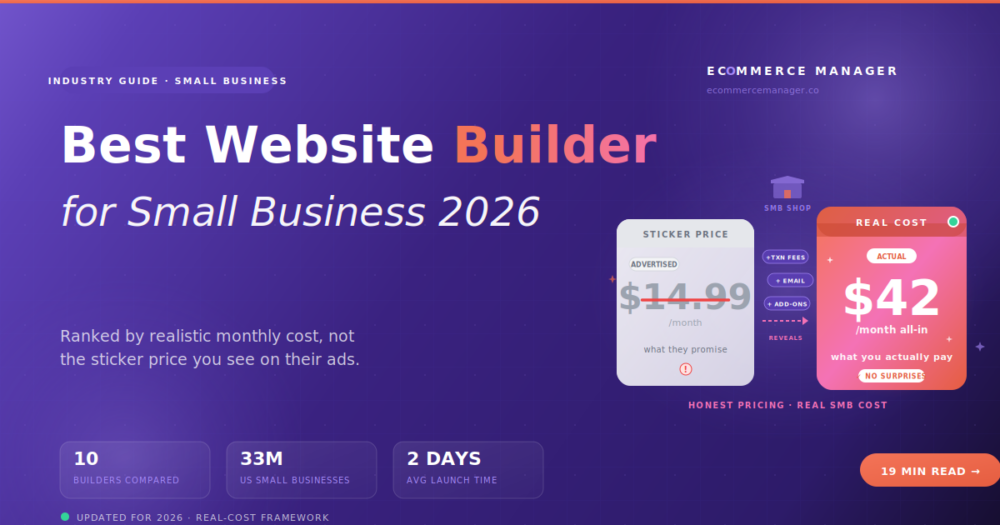
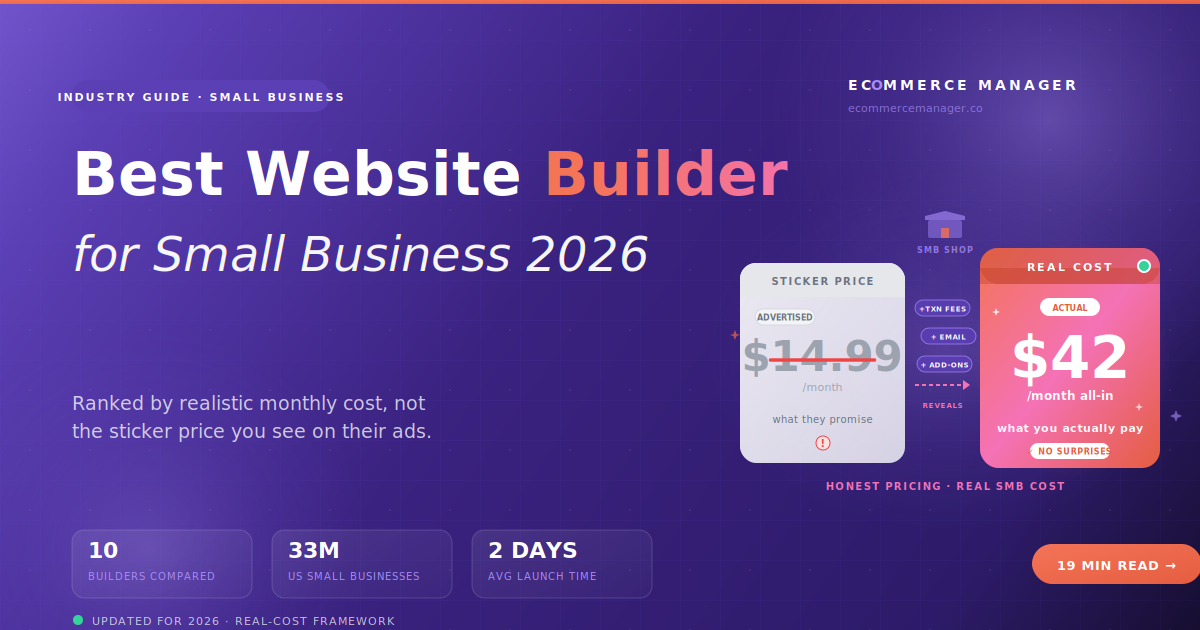
Here's the thing nobody's honest about in these rankings: the "starting at $14.99/mo!" price is not what you'll actually pay. Every website builder has a real monthly cost that includes transaction fees, essential add-ons, and the annual-commitment penalty most people never notice. Let's do the math on a realistic small business scenario:
Solo operator selling handmade soap. 30 SKUs. Runs a small website + Instagram Shopping. Sells at a farmers market on weekends. Needs online store, blog for content marketing, and basic email list. This is the modal "small business ecommerce" operator.
GoDaddy Basic on the website
Commerce plan + payment fees + email tool + domain
What actually adds up: The $14.99/mo Basic plan doesn't do commerce — you need the $24.99/mo Commerce tier. Payment processing eats 2.9% + $0.30 per transaction (roughly $150/mo on $5K in sales). Add a proper email tool ($15/mo Mailchimp) because the built-in one is too limited. Domain runs $15/year amortized. Add optional Google Ads or SEO app ($10/mo). Real total: $50+/month, not $15.
The lesson isn't "GoDaddy is a rip-off" — it's that every platform has this gap. Shopify Basic sticker is $39/mo; real is often $55-80/mo once you add apps. Wix Core sticker is $29/mo; real is $29-40/mo (relatively honest). Squarespace Commerce Basic sticker is $40/mo; real is $40-50/mo. The most honest platforms in this list are Wix, Squarespace, and BigCartel — sticker close to reality. The gap-heavy ones are Shopify, GoDaddy, and WordPress.com Commerce.
Small Business Comparison: 10 Website Builders (Real Cost Included)
Ranked by fit for actual small business needs. "Sticker" is the advertised entry-level price with a commerce tier. "Realistic" is what a soap-maker-doing-$5K/mo operator will actually pay including payment fees, essential add-ons, and any tier upgrade needed for commerce. "Launch Time" is calendar days from signup to first order for a non-technical solo operator.
| Builder | Sticker vs Realistic | Launch Time | Best For SMB |
|---|---|---|---|
WX Wix eCommerce |
$29/mo → $29-40/mo |
2-3 days | All-around SMB winner |
SQ Square Online |
Free → $0-29/mo |
1-2 days | Retail + online hybrid |
SH Shopify Basic |
$39/mo → $55-80/mo |
3-5 days | Growing SMB planning to scale |
SS Squarespace Commerce |
$40/mo → $40-50/mo |
3-4 days | Design-conscious SMB |
GD GoDaddy Websites |
$24.99/mo → $42-58/mo |
1-2 days | Beginner cheapest launch |
EW Ecwid by Lightspeed |
Free → $0-19/mo |
1-2 days | Embed on existing site |
WB Weebly |
Free → $0-29/mo |
1-2 days | Truly free tier for testing |
HG Hostinger Website |
$3.49/mo → $7-15/mo |
1-2 days | Absolute budget floor |
WP WordPress.com Commerce |
$45/mo → $45-70/mo |
5-10 days | Content-heavy SMB |
BG BigCartel |
Free → $0-12/mo |
1-2 days | Artists, creators, band merch |
The struck-through number is what the builder advertises. The purple number is what a small business selling roughly $3K-8K/month will actually pay per month once you count payment processing (usually 2.6-2.9% + $0.30 per transaction), essential add-ons, and the tier upgrade required to actually process orders. It's not a gotcha — most platforms have these gaps. The point is that "cheapest sticker price" and "cheapest real cost" are different rankings.
1. Wix eCommerce — The All-Around Small Business Winner
Wix eCommerce
Wix wins the small business category not because it's the cheapest or the best at any one thing — it wins because it's the most honest and complete. Sticker price is close to real cost. Zero platform transaction fees (only payment processing). Native booking, blog, email, and store in one tool. Drag-and-drop editor a non-technical operator can actually use. And 900+ templates that ship looking decent, not just functional. For 7 out of 10 small businesses reading this article, Wix is the pragmatic right answer.
Where Wix isn't ideal: if you plan to scale past $500K/year within 2 years, you'll eventually hit ceilings. If you need serious multichannel selling (Amazon, TikTok Shop as major revenue channels), other tools are stronger. But for a solo operator or small team building a website + store that needs to look professional and cost under $50/month all-in, Wix is the pick.
2. Square Online — Retail + Online Hybrid Winner
Square Online
If you're running a physical location — a coffee shop, boutique, salon, bakery, food truck — and you want online ordering on top, Square Online is genuinely hard to beat. Inventory, orders, customers, and payments all sync automatically with Square's POS system. When someone buys the last unit in your physical store, it drops from your website inventory in real time. The free tier is real (with a Square-branded subdomain), the paid tier ($29/mo) removes ads and adds a custom domain. Setup is measured in hours.
The trade-off: not competitive for pure DTC brands or design-forward operators. Templates are basic and functional. If you're online-only and design-conscious, look at Wix or Squarespace. For retail-first businesses, Square Online is the shortest path from "we should sell online" to "we're selling online."
3. Shopify Basic — The Scale-Ready Small Business Pick
Shopify Basic (+ Starter for social sellers)
Shopify's inclusion in a small business article is worth being honest about — it's genuinely more expensive than the alternatives above, and the real monthly cost climbs fast once you add the 2-3 apps almost every store needs (email marketing, reviews, shipping label discounts, basic SEO). Realistic monthly for a small operator is $55-80, sometimes higher. So why is it #3 not #7? Because Shopify is the tool that grows with you. If you have any real intent to hit $100K+/year in the next 18 months, starting on Shopify means you never have to migrate. And migrating a growing store is more painful than paying an extra $30/month from day one.
The Shopify Starter tier ($5/mo) is worth knowing about for a specific case: if you're selling only through Instagram, TikTok, or a link-in-bio and don't need a full website yet, Starter gives you a lightweight product catalog and checkout for $5/month. Not a real store — but a legit stepping stone if that's your channel mix today.
4. Squarespace Commerce — For Design-Conscious Small Business
Squarespace Commerce
Squarespace is the small business pick when design credibility matters more than any other feature. Photographers selling prints. Boutique wineries. Architects with a merch store. Restaurants with gift cards. Any business where a customer's first reaction to your site needs to be "this looks legit and beautiful." Squarespace's templates ship polished — you're not spending 15 hours making them look decent. The Commerce Basic tier at $40/month is close to what you'll actually pay (their pricing is unusually honest), and the built-in email marketing, appointment scheduling, and blog are genuinely capable.
The trade-off: the editor is grid-based (less flexible than Wix's true drag-and-drop), the app ecosystem is much smaller than Shopify, and commerce depth caps out around $500K-1M/year for most stores. For design-first small businesses, that trade is exactly right.
5. GoDaddy Websites + Marketing — Cheapest Beginner Launch
GoDaddy Websites + Marketing
GoDaddy Websites + Marketing is the tool for zero-experience beginners who want online tomorrow with minimum decisions. AI-guided setup asks you a handful of questions ("what kind of business? what colors?") and produces a functional site in under an hour. Not beautiful, functional. The Commerce tier at $24.99/month gets you a real store, though the realistic cost climbs to $40-60/mo once you add email marketing and payment fees. Best fit: a local service business or first-time seller who wants to test whether they can actually sell something online before investing more.
The trade-off: design flexibility is limited, templates are generic, and the ceiling is genuinely low. If you plan to build a design-forward brand or grow past $150K/year, look elsewhere. For a plumber, a solo consultant, a beginner testing a product, or a local service business — GoDaddy gets you online tomorrow for less than $25/month all-in.
6. Ecwid by Lightspeed — Embed a Store in an Existing Site
Ecwid by Lightspeed
Ecwid is uniquely useful for a specific case that other tools handle poorly: you already have a website (built on WordPress, Wix, Squarespace, or a static builder), and you just want to add a store to it without migrating. Ecwid embeds a full storefront into any existing site with a small snippet of code. The free tier is real (up to 5 products), and $19/month gets you 100 products with the ability to sell across Amazon, eBay, Instagram, TikTok Shop, and Google Shopping — all managed from one dashboard.
The trade-off: not a standalone website builder. If you don't already have a site, Wix or Squarespace will serve you better. But for merchants who like their current site and just want commerce on top — Ecwid is underrated and cheap.
7. Weebly — The Legitimate Free Tier
Weebly (by Square)
Weebly (owned by Square since 2018) has one distinct virtue: a legit free tier. Not a trial. Not a "free until you actually try to do anything" free tier. A real free plan where you can build a website, add products, and start selling — with Weebly branding and a Weebly subdomain. Perfect for testing whether you can sell something before spending any money. Once you validate demand, upgrade to Professional ($12/mo) or Performance ($29/mo) for custom domain, no branding, and better commerce features.
The trade-off: templates are limited, the editor is basic, and design flexibility is low. But for testing a business idea with zero budget: this is one of the only honest options.
8. Hostinger Website Builder — The Absolute Budget Floor
Hostinger Website Builder
Hostinger's website builder went AI-first in 2024. Describe your business in a prompt and it generates a full site with copy, images, and layout in about 60 seconds. Add commerce features on the Business tier ($6.99/mo with annual commitment). The realistic small-business monthly cost even after adding a domain and email add-on is $10-15 — genuinely the cheapest legit path to a working ecommerce site online right now. Great fit: first-time sellers, side-hustle testers, budget-first founders who want to validate before spending real money.
The trade-off: template variety is smaller than Wix or Squarespace, design ceiling is lower, and AI-generated sites often need real cleanup before they look right. See the AI website builders guide for how Hostinger compares to other AI-first tools. For the cheapest legitimate way to launch a small business ecommerce site: Hostinger is the honest answer.
9. WordPress.com Commerce — Content-Heavy Small Business
WordPress.com Commerce
WordPress.com Commerce bundles managed WordPress hosting with WooCommerce pre-installed. For small businesses where the content operation matters — a photographer with a blog and print store, a food creator with recipes and a merch shop, an education brand with courses and products — this is a legitimately good fit. Gutenberg's block editor gives real visual control, and the WordPress ecosystem has more plugins than any other platform.
The trade-off: learning curve is real. WordPress rewards patience but punishes casual users. If you're not comfortable spending 5-10 days learning themes, plugins, and Gutenberg blocks, Wix or Squarespace will feel much easier. For serious content brands: WordPress.com Commerce is worth the investment. For serious ecommerce operations, look at managed WooCommerce hosting instead.
10. BigCartel — The Creator, Artist & Band Merch Pick
BigCartel
BigCartel deserves inclusion despite its limitations because it fits a specific small business audience better than anything else: independent artists, illustrators, bands with merch, print shops, small hobby brands. Real free tier up to 5 products with zero platform transaction fees. Paid tiers ($12/mo for 50 products, $22/mo for 500) are honest — sticker price matches real cost almost perfectly. The design flexibility ceiling is low (15+ templates with limited customization), but for the creator audience, that constraint is a feature — you're not spending three weeks designing when you should be making things.
The trade-off: BigCartel is not a real website builder in the flexibility sense. It's a focused storefront tool for creators. For anyone wanting real design freedom or serious commerce features, look elsewhere. For a musician selling t-shirts or an illustrator selling prints: BigCartel is the honest right answer and one of the most honest pricing structures in this whole list.
The Real Small Business Cost You'll Miss
Payment processing fees are almost always the biggest line item on your monthly builder bill, and nobody warns you. At 2.9% + $0.30 per transaction, a small business doing $5K/month in orders pays about $150 just in payment fees — often more than the platform subscription itself. This is true on almost every builder in this list. The exception: Square Online, where payment rates are the same in-store as online (2.6% + $0.10 for card-present or 2.9% + $0.30 online). If you're doing serious volume through a physical location, that difference adds up to real money.
When You've Actually Outgrown a Website Builder
Website builders have real ceilings. Some of the merchants reading this article will hit them within 18 months, and moving off a builder is genuinely painful — you can't export a Wix site to Shopify; you rebuild from scratch. Watch for these signals that you've outgrown the category:
- You're consistently doing over $30K/month in revenue. Small business becomes real business. You need better commerce depth, subscription support, or wholesale features that most builders don't do well.
- Multichannel is becoming a core revenue driver. If Amazon, TikTok Shop, or Instagram Shopping is over 30% of revenue, you need a platform built for multichannel operations. See the multichannel platform guide.
- Your catalog has serious variants. Sizes, colors, materials, custom options combined into complex SKU trees. Builder commerce modules bog down with real product complexity.
- You need custom checkout logic. Subscriptions, tiered pricing, wholesale portals, B2B logic — website builders lock down checkout for good reason (security), but that means custom logic isn't available.
- You're hiring an engineer or developer. Once you have engineering budget, a commerce platform + custom storefront gives you far more headroom than any builder.
How to Actually Pick Your Small Business Builder
Answer these four questions honestly, then pick the tool that matches your answers:
1. What's your realistic monthly revenue in 6 months?
💰 Under $2K/month
Hostinger · Weebly free · BigCartel
💰💰 $2K-10K/month
Wix · Square Online · Squarespace
💰💰💰 $10K-30K/month
Wix Business · Shopify Basic
💰💰💰💰 $30K+/month
Shopify · consider full commerce platforms
2. Do you run a physical location too?
Yes: Square Online is almost certainly your answer — the POS sync alone is worth the switch. No: any of the top three (Wix, Shopify, Squarespace) work depending on other factors.
3. What's your real design comfort level?
Zero experience with design tools: GoDaddy or Hostinger AI (they generate the design for you). Some visual instinct: Wix or Squarespace. Serious design chops: Squarespace or WordPress.com. Match to your comfort — a mismatch costs weeks of frustration.
4. What's your true monthly budget (all-in)?
Under $15/mo all-in: Hostinger or a free tier (Weebly, BigCartel). $15-40/mo: Wix, Squarespace, GoDaddy Commerce, Square Online Plus. $40-80/mo: Shopify Basic, Squarespace Advanced, WordPress.com Commerce. Over $80/mo: you're probably ready for a proper commerce platform.
The Honest Bottom Line
For most small businesses reading this article — a solo operator or small team, under $500K/year in revenue, budget under $50/month all-in, building a real website with commerce — Wix eCommerce is the pragmatic pick that combines honest pricing, real design flexibility, zero platform transaction fees, and native support for everything a small business actually needs (blog, booking, email, store). Square Online wins for retail hybrids. Shopify Basic wins for small businesses planning to scale past $30K/month. Squarespace wins for design-conscious brands. GoDaddy and Hostinger for the cheapest launches. Weebly and BigCartel for testing an idea for free.
The wrong move is picking a tool based on advertised sticker price and getting surprised by the real monthly bill. The right move is doing the honest math on what you'll actually pay, matching that to your realistic revenue, and picking accordingly. Do that, and you'll launch on the right tool the first time — no rebuild required in year two.
Not Sure Which One Fits Your Business?
The eCommerce Manager helps small business operators pressure-test their choice before spending a weekend building on the wrong platform.
Get Unbiased Guidance →