

Last Updated on August 4, 2026
Shopify Migration in 2026: The Operator's Guide
Real costs by store size, the tooling decision, what refuses to migrate, and the redirect work that decides whether your rankings survive. Built from agency post-mortems, not vendor promises.
On this page
Migrations fail on process, not platform
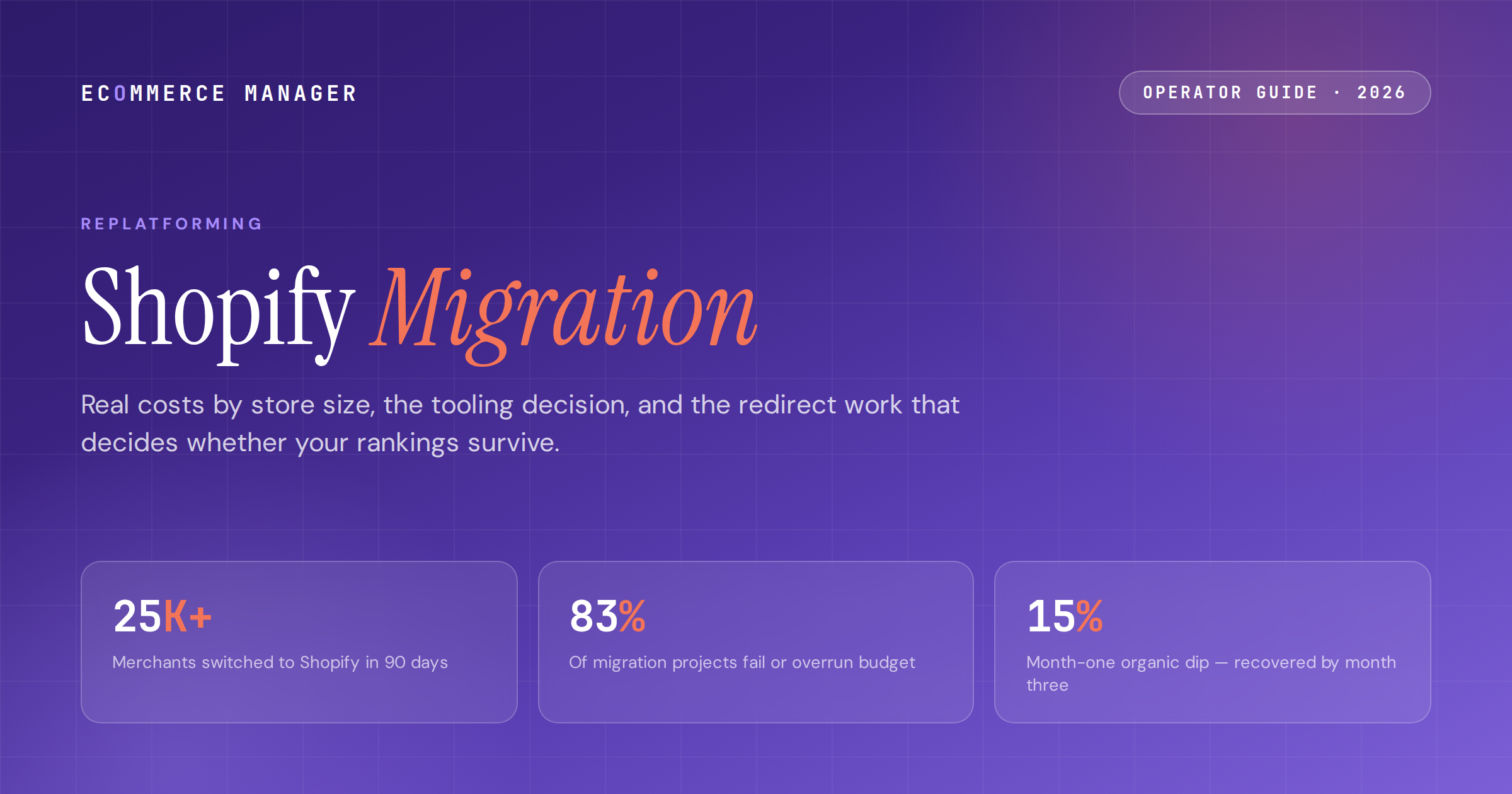
Shopify added over 25,000 merchants from competing platforms in a recent 90-day window. The pull is well documented: a checkout that converts 15% better on average than competing platforms (the full case is in the ECM Shopify review), bundled infrastructure, and an operational load your team stops carrying. What's less documented is the failure rate of getting there. One cross-industry analysis found 83% of data migration projects fail outright or exceed their budget and timeline.
The gap between those two numbers is process. The brands that migrate cleanly all run the same playbook: a full data and URL inventory before anyone touches a tool, a validated 301 redirect map before launch, and a launch window nowhere near Q4. The brands that lose $50K–$500K in transition revenue, per agency post-mortems, skipped one of those three steps.
This guide is the playbook with numbers attached: cost and timeline by store size, an honest comparison of the migration tools, exactly what will and won't transfer, and the SEO work that separates a 90-day recovery from a six-month one.
What a migration costs in 2026, by store size
Migration pricing spans two orders of magnitude, and most of the variance is explained by three inputs: SKU count, custom functionality, and how much organic traffic you have to protect.
-
01Tooling is the cheap part: $29–$500 covers most app-based migrations. Matrixify runs $20–$200/mo, LitExtension $200–$400+ per project, Cart2Cart $150–$350 per project. Watch the add-ons — SEO URL migration, 301 redirects, and priority support are frequently priced separately and can double the quote.
-
02Agency-led migrations start around $5,000 and scale with complexity. Simple WooCommerce or BigCommerce moves land at $5K–$40K. Adobe Commerce and Salesforce migrations run $25K–$150K+, stretching past $250K for B2B, multi-store, and ERP-integrated builds. Shopify Experts marketplace projects range $1K–$10K for scoped work.
-
03Timeline by size: under 500 SKUs with no custom development, 2–4 weeks. 500–5,000 SKUs, 4–8 weeks. Shopify Plus with custom builds, 8–16 weeks. Enterprise moves from Magento or Salesforce with 50K+ SKUs, 3–4 months. Xgen Tech's data puts most successful US migrations on an 8–16 week track.
-
04Budget for variance, because the base rate is against you. With 83% of data migration projects failing or overrunning, a 25–40% contingency on both budget and timeline isn't pessimism. It's the observed distribution.
-
05The revenue math usually still works. A documented $5M-revenue, 2,000-SKU WooCommerce move cost $18K and cut hosting costs 40%. Post-migration checkout conversion lifts of 10–20% are the norm in agency data, and merchants leaving self-hosted stacks report 20–30% lower operational overhead. Run your own three-year numbers in the ECM platform calculator before any agency proposal anchors them for you.
-
06Pick your launch window now: never migrate into peak season. No BFCM migrations, ever. The safe pattern is launching by early October at the latest, or waiting until January. A migration that slips into November converts your busiest month into a QA environment.
Is the move worth it for your store?
Plug your revenue, AOV, and current platform costs into the ECM Platform Calculator and get a three-year TCO comparison across Shopify and four other platforms in under two minutes.
Store Importer, Matrixify, LitExtension, Cart2Cart: an honest comparison
Most stores don't need an agency for the data transfer itself. They need the right tool and someone who reads the demo migration carefully. Here's how the options actually compare, ratings and gripes included.
The tool lineup
-
→Shopify Store Importer (free): native, guided, and supports WooCommerce, BigCommerce, Wix, and Square sources. Check it first. It moves the basics well and moves nothing sophisticated — no metafields, limited SEO data, no complex category trees.
-
→Matrixify ($20–$200/mo): 4.9/5 average on the Shopify App Store, and the tool agencies reach for on large catalogs. Handles products, customers, orders, metafields, and bulk operations that other tools can't. The most-cited gripe is a steep learning curve — pick it if you have someone technical and a big catalog.
-
→LitExtension ($200–$400+ per project): widest platform coverage at 140+ source carts, which matters if you're coming off OpenCart, PrestaShop, Zen Cart, or another platform mainstream tools skip. Capterra reviewers rate it 4.7/5 for support, with the caveat that support isn't actually 24/7. Free demo migration before you pay.
-
→Cart2Cart ($150–$350 per project): 85+ supported platforms and strong automation. Trustpilot reviews are mixed — successful migrations praise it, but a notable cluster of 1-star reviews report failed jobs and refund disputes. Run the demo, verify the output, and keep expectations calibrated.
How agencies actually run the transfer
-
→The working stack from agency practice: platform-native exporters on the source side (WooCommerce CSV Importer, Magento ImportExport, BigCommerce data export), Matrixify for the bulk import into Shopify, and the Admin GraphQL API for anything custom. The tools are commodity; the mapping decisions are the craft.
-
→Attribute mapping is where projects burn time. Custom source-platform attributes map to Shopify metafields, variants, or tags — and the relationship is rarely one-to-one. Deciding which attributes become what, deliberately and before import, is the single highest-leverage planning hour in the project.
-
→Always run the demo migration and spot-check it like an auditor: 5–10 random products for titles, variants, pricing, and images; a handful of customers with order history attached; every category level if your taxonomy nests deep. Tools are powerful and imperfect, and the demo is where imperfection is cheap.
What migrates cleanly, and what refuses to
Every migration horror story traces back to an assumption about data that turned out to be wrong. Here is the honest inventory, so the surprises happen in planning instead of production.
Moves cleanly
-
→Products, variants, and images. Customers and addresses. Order history. Blog posts and CMS pages. Coupons and discount codes (often needing manual recreation of logic). Reviews, via a third-party app and CSV export. SEO metadata, if your tool's plan includes it.
-
→One caveat that surprises operators: historical orders import as fulfilled archives. They preserve customer lifetime value, reorder attribution, and reporting — but they can't be modified, refunded, or used for live customer service. For most brands that's fine. Know it before support tickets arrive.
Does not transfer — plan the workaround now
-
→Customer passwords. They're hashed on the source platform and can't move (LitExtension handles a few platform pairs; assume yours isn't one). Plan the password-reset email as a comms project: send it at launch, frame it as a security upgrade, and expect a temporary dip in returning-customer login rates.
-
→Your theme, and all custom plugin or script logic. Design is a rebuild, not a transfer. Custom checkout logic, gift-card balances, loyalty points, and subscription billing each need a rebuild plan or a replacement app. List every plugin on the old stack against a proper tech stack audit and find each Shopify App Store equivalent before committing to a timeline.
-
→Your exact URL structure. Shopify enforces /products/ and /collections/ paths. Every legacy URL changes, which is why the redirect map in the next section is the make-or-break deliverable of the whole project.
-
→Product architectures past 3 options or 100 variants. Shopify's variant ceiling silently drops options that exceed it. Configurable products with four or more attributes must be restructured before import — audit for these first, because they redefine your scope.
The redirect work that decides whether rankings survive
Migrations don't lose rankings. Unvalidated redirect maps lose rankings. The recovery data on both sides of that line is consistent enough to treat as a rule.
-
01Build the 1:1 redirect map from a full pre-migration crawl, not from memory or a sitemap. Every product, collection, blog, and filter URL gets an explicit 301 to its Shopify equivalent, entered under Online Store → Navigation → URL Redirects (or bulk-loaded via Matrixify). Regex handles dynamic and filter URLs.
-
02The observed pattern when this is done right: a roughly 15% organic dip in month one, full recovery by month three. Shero's Gen Y Hitch case (December 2025 launch) recovered and grew organic sessions 10.7% within three months. The pattern holds across documented cases — when every redirect resolves.
-
03The pattern when it isn't: hundreds of indexed 404s and a 2–6 month recovery. APPWRK's post-mortem across 110 migrations identifies unvalidated 301s as the single biggest failure mode in replatforming. Validate every redirect with a crawler against the live site before launch, not after Search Console starts complaining.
-
04Rebuild schema parity on day one. Shopify's native JSON-LD covers Product, Review, FAQ, and Breadcrumb markup, and well-structured product pages increasingly surface in Google AI Overviews without extra work. Confirm metadata, alt tags, and canonicals carried over; migration tools treat these as premium features and skip them on basic plans.
-
05If organic drives a meaningful revenue share, put a specialist on it. A migration-experienced SEO partner costs a fraction of a six-month traffic hole. Their whole job is the crawl, the map, and the validation — the three things DIY migrations skip.
Don't run the redirect map alone.
The ECM directory lists vetted migration specialists with verified client reviews — filtered by source platform, budget, and vertical, including teams that run Shopify migrations weekly.
The launch checklist that catches expensive mistakes
The final week is testing, not building. This is the QA sequence agencies run, compressed to the checks that actually catch revenue-affecting problems.
-
01Place real test orders through the full stack: payment capture, tax calculation by region, shipping rates against your carrier rules, and confirmation emails. This is where miscalculated tax settings and broken shipping zones get caught while they're free to fix.
-
02Verify the app stack replacements one by one. Email flows firing from the new platform, reviews displaying, subscriptions billing, inventory syncing with your 3PL or ERP. Each replaced plugin is a possible silent failure; test them as systems, not checkboxes.
-
03Spot-check content formatting. Shopify's editor strips certain HTML on import — bold text, embeds, and image alignment in migrated blog posts and pages need a human pass. Tedious, and cheaper than a customer finding it.
-
04Freeze the source store's data at cutover. Orders placed during the transfer window need a reconciliation plan; the clean pattern is a short maintenance window at your lowest-traffic hour with a final delta import of orders and customers.
-
05Set the 90-day measurement plan before launch: baseline checkout conversion, organic sessions, page speed, and support ticket volume against your core KPIs. The migration isn't done at launch. It's done when the numbers say the new stack beats the old one — and ECM tracks how these platform moves play out in weekly Insights.
What a smart operator does with this
Scope before tools. The full data inventory — every plugin, every custom attribute, every product past the 100-variant ceiling, every URL from a complete crawl — is the project plan, and it's why identical-looking migrations cost $5K or $50K. The 83% overrun rate belongs almost entirely to teams that skipped this step and discovered scope in production.
Match the tool to the catalog, not the marketing. Store Importer for simple stores, Matrixify for large catalogs with technical hands available, LitExtension for obscure source platforms, an agency when organic traffic or custom logic makes failure expensive. Always run the demo migration and audit it before paying for the full job.
Treat SEO as the deliverable. A validated 1:1 redirect map is the difference between a 15% dip that recovers in 90 days and a 404 crater that takes half a year. Launch outside peak season, baseline your KPIs first, and hold the project open until the 90-day numbers beat the old platform's. If you're still deciding between destinations, the ECM platform reviews cover the alternatives.
Frequently asked questions
How much does it cost to migrate to Shopify in 2026?
App-based migrations run $29–$500 in tooling (Matrixify $20–$200/month, LitExtension $200–$400+ per project, Cart2Cart $150–$350), plus your own time. Agency-led migrations start around $5,000 for simple stores, run $5,000–$40,000 for typical WooCommerce or BigCommerce moves, and reach $25,000–$250,000+ for complex Adobe Commerce, B2B, or ERP-integrated migrations. Watch for add-on fees on migration apps — SEO URL migration and 301 redirect handling are often priced separately and can double a quote.
How long does a Shopify migration take?
Two to four weeks for simple stores under 500 SKUs with no custom development. Four to eight weeks for mid-size stores of 500–5,000 SKUs. Eight to sixteen weeks for Shopify Plus builds with custom development, and three to four months for enterprise migrations from Magento or Salesforce with 50,000+ SKUs. Add a 25–40% contingency: cross-industry analysis found 83% of data migration projects fail or exceed budget and timeline. Never schedule a launch into Q4 peak season.
What data cannot be migrated to Shopify?
Customer passwords (hashed on the source platform — plan a reset-email campaign at launch), your theme and design, custom plugin and script logic, gift-card balances, loyalty points, subscription billing configurations, and your exact URL structure, since Shopify enforces /products/ and /collections/ paths. Historical orders do transfer but import as fulfilled archives that cannot be modified or refunded. Products with more than 3 options or 100 variants must be restructured before import or Shopify drops the excess options silently.
Will migrating to Shopify hurt my SEO?
Only if the redirect work is skipped or rushed. The documented pattern with a validated 1:1 redirect map is a roughly 15% organic traffic dip in month one and full recovery by month three — one published case recovered and grew organic sessions 10.7% within 90 days of launch. Without validated redirects, the pattern is hundreds of indexed 404s and a 2–6 month recovery. Build the map from a full pre-migration crawl, validate every 301 before launch, and confirm metadata and schema carried over.
What is the best Shopify migration tool?
It depends on your catalog and source platform. Shopify's free Store Importer covers simple moves from WooCommerce, BigCommerce, Wix, and Square. Matrixify (4.9/5 on the Shopify App Store) is the agency choice for large catalogs and metafields, with a learning curve. LitExtension supports 140+ source platforms, which matters for OpenCart, PrestaShop, or other less-common carts. Cart2Cart automates 85+ platforms but has mixed Trustpilot reviews. Whichever you pick, run the free demo migration and spot-check the output before paying for the full transfer.
The playbook top eComm operators actually read
One weekly brief. Five stories that matter. Zero fluff. Written for managers at $5M–$50M DTC brands who want to sound sharper than everyone else in the meeting.
References
- 01 The Shopify Migration Checklist: 47 Steps Before, During, and After — ringly.io
- 02 Shopify Migration: Everything You Need to Know in 2026 — avada.io
- 03 Shopify Migration: The Complete Guide (2026) — sodawebmedia.com
- 04 WordPress to Shopify Migration: Complete Step-by-Step Guide — sodawebmedia.com
- 05 Best Shopify Store Migration Apps (2026) — easysellapp.com
- 06 Shopify Migration Checklist 2026: Key Steps for Success — uptek.com
- 07 Complete Shopify Migration Guide 2026: The Pillar — digitalheroes.co.in
- 08 A Complete Guide on How to Migrate to Shopify in 2026 — shopxcommerce.com
- 09 WooCommerce to Shopify Migration: Gains, Losses & Real Cost — appwrk.com
- 10 Magento to Shopify Migration in 2026: Real Cost, Timeline — askphill.com
- 11 Magento to Shopify Migration: Complete 2026 Guide — conversion-design.com
- 12 WooCommerce vs Shopify: Honest Comparison for 2026 — sherocommerce.com
- 13 Shopify Checkout Is the Best-Converting in the World — shopify.com
- 14 E-commerce Migration Momentum: March 2026 Report — shopping-cart-migration.com
Make your platform decision data-backed
Join 12,000+ ecommerce managers reading the ECM newsletter every Wednesday — or browse the directory to find vetted migration, CRO, and platform specialists.