

Last Updated on August 26, 2026
WooCommerce to Shopify Migration in 2026: The Operator's Guide
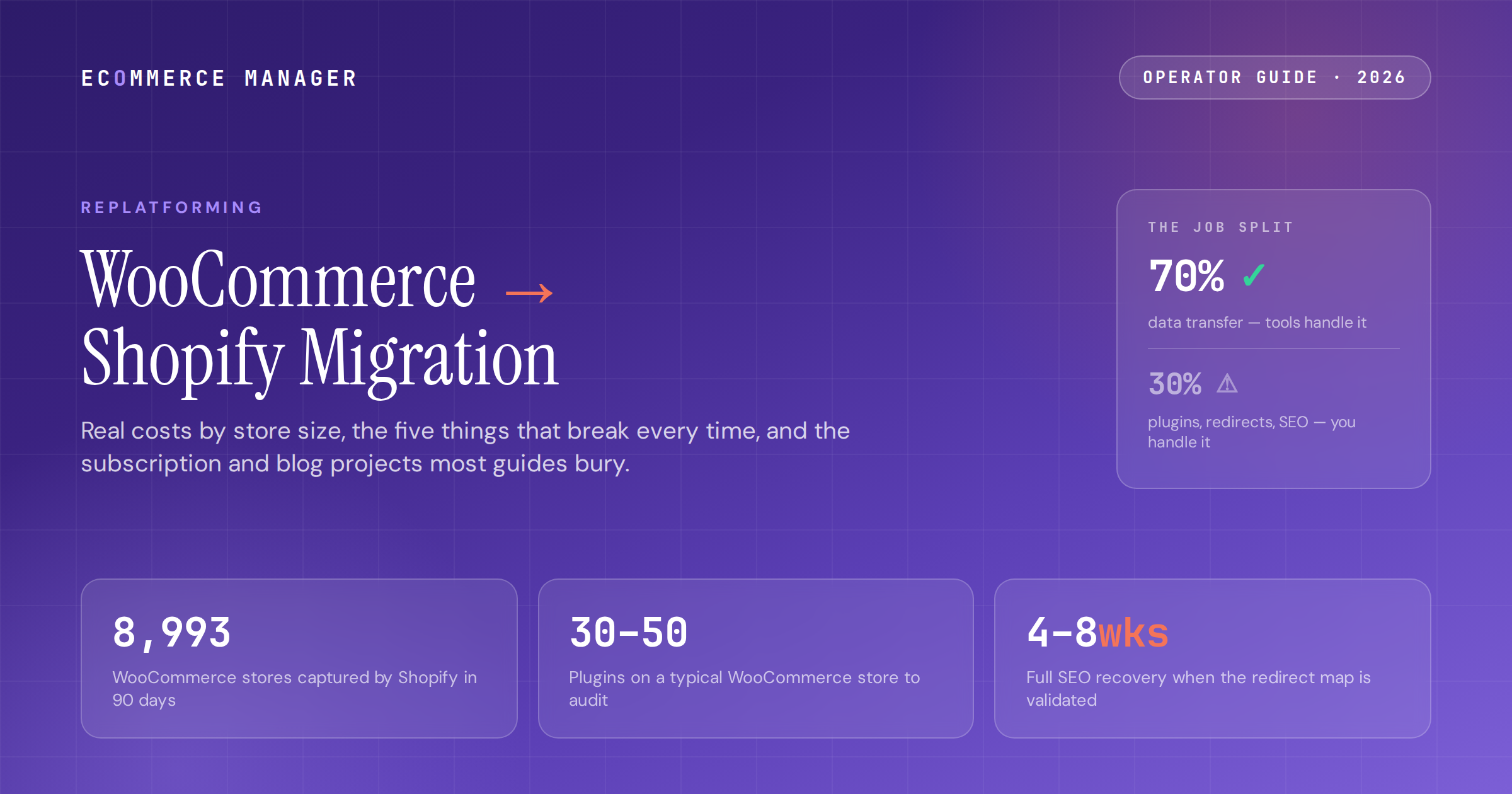
Real costs by store size, the five things that break every time, and the two jobs unique to this route, subscriptions and the WordPress blog, that most guides bury. Built from agencies that ship this move weekly.
On this page
The most-traveled road in replatforming
WooCommerce to Shopify is the single largest migration path in ecommerce. Shopify captured 8,993 WooCommerce stores in one recent 90-day window, and March 2026 tracking put the route at 56 of 241 recorded migrations, more than any other pair. The push is the operational load: a typical WooCommerce store runs 30–50 plugins on top of managed hosting, a security layer, backups, caching, and a developer on retainer. That "WordPress tax" runs $100–$400 a month before a single dev hour, and the dev hours are the real bill.
The route is also unusually predictable. The same five things break every time — URL structures, plugin-dependent functionality, subscriptions, reviews, and custom PHP logic — which means every one of them can be planned for. The honest framing from agencies who ship this weekly: migration tools handle the easy 70% (the data), and the hard 30% (the plugin audit, the redirect map, the subscriptions rebuild, the blog migration, the SEO work) determines whether the project succeeds.
This guide covers the full route: costs by store size, exactly what transfers and what doesn't, the two jobs unique to leaving WordPress, WooCommerce Subscriptions and the blog, and the Yoast metadata mechanics that protect the rankings your content earned. If you're still deciding whether to move at all, start with the ECM WooCommerce vs Shopify guide; this article assumes the decision is made.
What the move costs, by store size and approach
WooCommerce migrations are the cheapest major route in replatforming — and the published estimates are still usually wrong, because they count the tool fee and skip the workstreams.
-
01DIY: $200–$1,500 in tools plus your time. Shopify's free Store Importer covers simple WooCommerce moves; LitExtension ($200–$400+) is the most-used paid option for this route, with Cart2Cart as the alternative. Matrixify has less direct WooCommerce support but works for specific scenarios. Watch the add-ons: SEO and redirect handling priced separately can double a tool quote.
-
02Freelancer or small team: $1,000–$5,000 for a properly scoped migration including redirect setup and SEO metadata transfer. The right tier for medium-complexity stores that want technical execution without agency rates.
-
03Agency: $3,000–$5,000 for small stores, $5,000–$15,000 mid-size, $15,000–$50,000 for large or complex builds. The biggest variable is how many custom features and plugins need rebuilding, not SKU count. A documented $5M-revenue, 2,000-SKU move cost $18,000 and cut hosting costs 40%.
-
04Timeline: 2–6 weeks for simple catalogs, 4–12 weeks typical end to end. The data transfer is days. The plugin audit, theme rebuild, subscription re-onboarding, and redirect validation are the weeks. Apply the standard 25–40% contingency — the cross-industry overrun rates don't exempt easy-looking routes.
-
05Budget the first post-launch year honestly: $100–$400/mo in apps as you discover which WooCommerce plugins need paid Shopify replacements. This is the line item that makes the first-year comparison look worse than the steady state, and it usually still nets out, since migrated merchants report 20–30% lower operational overhead once the legacy stack is cancelled. Run your own three-year numbers in the ECM platform calculator.
-
06One thing you keep: your domain. Point your registrar's DNS at Shopify or transfer the domain; either way the brand stays put. What changes is every path under it, which is why the redirect section below exists.
Is the move worth it for your store?
Plug your revenue, AOV, and current WooCommerce costs into the ECM Platform Calculator and get a three-year TCO comparison in under two minutes — before any proposal anchors the numbers.
What transfers, and the five things that break every time
Agencies that run this route describe it as one of the most predictable projects in ecommerce: the same failures recur, so every one can be planned for. Here's the inventory.
Transfers cleanly
-
→Products, variants, images, categories, and tags via WooCommerce's built-in CSV export or a migration tool. Customers with names, emails, addresses, and order history attached. Blog posts with categories and tags. Coupons, usually needing manual logic recreation.
-
→Order history transfers — as read-only archives that preserve lifetime value and reporting but can't be modified or refunded. A pattern worth considering from agency practice: for stores with messy historical data, keeping the WooCommerce site alive as a private read archive is sometimes cleaner than importing a decade of orders.
-
→One rule before any export: clean the data first. Years of inconsistent attributes, missing SKUs, and duplicate customer records migrate as exactly that. Tools transfer what's there; there is no third option between cleaning before and paying to clean during.
The five predictable breaks
-
→URL structures. WooCommerce's /product/ and /product-category/ paths become Shopify's /products/ and /collections/, and blog URLs become /blogs/[name]/[slug]. Every product, category, and blog URL needs a 301 before launch — skip it and organic traffic collapses on a timeline Google controls, not you.
-
→Plugin-dependent functionality. Each of the 30–50 plugins gets a verdict against a structured tech stack audit: native on Shopify, replaced by an app, rebuilt custom, or retired. Bookings, custom product fields, memberships, and advanced shipping rules are the categories that most often hide a mini-project each.
-
→Subscriptions. WooCommerce Subscriptions maps to nothing Shopify-native — full treatment in the next section, because it deserves one.
-
→Reviews. Native WooCommerce reviews don't transfer by default. Plan it as its own track: CSV export from your reviews plugin into Judge.me, Yotpo, Loox, or Stamped, then verify product-to-review mapping by hand.
-
→Custom PHP and custom plugin tables. Anything built into custom WordPress database tables stays in WooCommerce unless a developer extracts and transforms it. Membership data and custom user fields are case by case — and finding them in the audit instead of mid-migration is what keeps the quote honest. Passwords, as on every route, never transfer; schedule the reset email as a comms project.
Subscriptions and the blog: what makes this route different
Every migration has redirects and data mapping. Leaving WordPress adds two projects other routes don't have, and both are chronically underestimated.
The subscriptions rebuild
-
→WooCommerce Subscriptions is a separate migration project, not a data type. Subscription state, billing cycles, and scheduled renewals move to Recharge, Skio, Bold, or Smartrr — and customer payment tokens usually don't transfer between platforms. That means re-onboarding active subscribers, with some needing to re-enter payment methods.
-
→For high-subscription stores, this single track can take longer than everything else combined. Plan the subscriber communication weeks in advance: an honest email sequence explaining the change, a reauthorization flow tested end to end, and a churn allowance in the revenue model for the subscribers who don't complete it.
-
→This is also the piece that most changes the build-vs-buy math on agencies. If subscription revenue is a meaningful share of the business, the $5K–$15K agency tier stops being optional. The cost of a botched re-onboarding is measured in recurring revenue, not project fees.
The WordPress blog migration
-
→If content SEO is why you were on WordPress, the blog is a first-class project, not an afterthought. Posts move via WordPress XML export or Matrixify with categories and tags intact, but custom post types, custom taxonomies, and advanced content blocks don't; Shopify's blog engine is simply less powerful. Hand-check your SEO-critical posts.
-
→Yoast and Rank Math metadata needs explicit migration. The working mechanic: export all meta titles and descriptions as CSV from the WordPress plugin, add SEO Title and SEO Description columns to the Shopify import CSV, and match the fields. Done properly this replaces $500–$1,500 of consultant SEO work; skipped, your optimized titles get replaced with Shopify defaults.
-
→Internal links inside posts still point at WordPress URLs after import. Budget a pass to update them to the new Shopify paths — redirects will catch the clicks, but clean internal links pass equity better than a redirect hop, and the difference compounds across a large content library.
Subscription revenue on the line?
The ECM directory lists vetted migration specialists with verified client reviews — filtered by budget and vertical, including teams that have run the Recharge and Skio re-onboarding flows before.
The two recovery curves, and which one you get
This route's SEO data is unusually clean: two documented patterns, and the redirect map decides which one is yours.
-
01Done right: a 5–15% temporary dip with full recovery in 4–8 weeks. The documented ecommerce cases back it — one WooCommerce-to-Shopify launch (December 2025) recovered and grew organic sessions 10.7% within three months. Done wrong: a 30–50% loss lasting 6–12 months, against the background Ahrefs finding that 60% of pages that lose rankings in a migration never fully recover them.
-
02Build the map from a full crawl, prioritized by value. Every /product/, /product-category/, and blog URL gets one clean server-side 301 to its closest new equivalent: no chains, no bulk homepage redirects. Map the top 20% of pages carrying 80% of the traffic first, and include the PDFs and images that carry backlinks nobody remembers.
-
03Verify the metadata survived. The Yoast/Rank Math export-and-match mechanic above covers products and posts; confirm your top collection and product pages against the pre-migration export after import, because tools skip SEO fields on basic plans without announcing it.
-
04Confirm schema renders on day one. Shopify's native JSON-LD covers Product, Review, FAQ, and Breadcrumb markup, and well-structured product pages increasingly surface in AI answer engines without extra work — record your AI-citation baseline for top queries before launch alongside classic rank tracking. The full framework is in the ECM replatforming SEO impact guide.
-
05Validate against staging, then launch outside peak season. Crawl the redirect map before cutover, watch Search Console daily for two weeks after, and hold your nerve through the dip if the map was validated. If organic drives meaningful revenue, a migration-experienced SEO specialist on this phase is the cheapest insurance in the project.
The route-specific sequence, start to 90 days
The generic phases live in the ECM migration checklist. This is the WooCommerce-specific version, with the route's own traps marked.
-
011. Audit (weeks 1–2): full URL crawl, the 30–50 plugin inventory with verdicts, subscription revenue exposure counted, custom-table data identified, and the data cleanup (attributes, SKUs, duplicates) done in WooCommerce before anything exports. Pull the baseline from your core KPIs: checkout conversion, organic sessions by landing page, page speed.
-
022. Build and transfer (weeks 2–6): theme rebuilt (designs never transfer), products and customers imported via Store Importer or LitExtension, demo migration audited by hand: random products for variants and pricing, customers with order history attached, Yoast metadata spot-checked against the export.
-
033. The parallel tracks (weeks 2–8): subscriptions re-onboarding prepared with subscriber comms scheduled, reviews exported and mapped into the new app, blog imported with internal links updated. Each runs alongside the main build with its own owner, because sequencing them serially is where 4-week projects become 12-week ones.
-
044. Cutover (launch week): redirect map validated against staging, full-stack test orders placed (payment, tax, shipping, confirmation emails), a freeze window at the lowest-traffic hour with a final delta import, DNS pointed at Shopify. The domain stays; everything under it changes.
-
055. The 90-day close-out: Search Console daily for two weeks, the password-reset and subscription-reauthorization emails monitored for completion rates, legacy hosting and the plugin stack cancelled at day 30 (the 20–30% overhead saving only exists if someone cancels), and the review run against the Phase 1 baseline. The platform-agnostic version of every step is in the ECM migration checklist.
What a smart operator does with this
Scope the hard 30% before pricing the easy 70%. The tool moves the data; the plugin audit, redirect map, subscriptions rebuild, blog migration, and SEO work decide the outcome. Count your plugins, count your subscription revenue, and crawl your URLs first. The answers put you in the $1,500 DIY tier or the $15,000 agency tier, and it's better to know before the quote does.
Treat subscriptions and the blog as their own projects with their own owners. Payment tokens don't transfer, so subscriber re-onboarding is a comms campaign with a churn allowance, not a data import. And the content library that justified WordPress deserves the Yoast export-and-match treatment plus an internal-link pass; the rankings it earned are the equity most worth protecting.
Then run the standard discipline: one clean 301 per URL validated in staging, launch outside Q4, monitor daily for two weeks, cancel the legacy stack at day 30, and score the 90-day review against the pre-migration baseline. The route is predictable; the checklist is why the 5–15% dip recovers in 4–8 weeks instead of becoming a 6–12 month hole.
Frequently asked questions
How much does it cost to migrate from WooCommerce to Shopify?
DIY runs $200–$1,500 in migration apps plus your time. Freelancers charge $1,000–$5,000 for a properly scoped migration including redirects and SEO metadata transfer. Agencies charge $3,000–$5,000 for small stores, $5,000–$15,000 for mid-size, and $15,000–$50,000 for large or complex builds; the biggest variable is how many plugins and custom features need rebuilding, not SKU count. A documented $5M-revenue, 2,000-SKU migration cost $18,000 and cut hosting costs 40%. Budget $100–$400/month in first-year Shopify apps as plugin replacements are discovered.
How long does a WooCommerce to Shopify migration take?
Two to six weeks for simple catalogs and 4–12 weeks typical end to end. The data transfer itself takes days; the plugin audit, theme rebuild, subscription re-onboarding, blog migration, and redirect validation consume the calendar. Running the subscriptions, reviews, and blog workstreams in parallel with their own owners — rather than serially — is what keeps a 4-week project from becoming a 12-week one. Apply a 25–40% contingency and never launch into Q4 peak season.
Can I migrate WooCommerce Subscriptions to Shopify?
Yes, but it is the hardest part of this route. WooCommerce Subscriptions maps to nothing Shopify-native — subscription state and billing cycles move to Recharge, Skio, Bold, or Smartrr, and customer payment tokens usually don't transfer between platforms. Active subscribers must be re-onboarded, with some re-entering payment methods. Plan the subscriber email sequence weeks in advance, test the reauthorization flow end to end, and build a churn allowance into the revenue model. For high-subscription stores this can take longer than everything else combined.
Will my WordPress blog and SEO transfer to Shopify?
Posts transfer with categories and tags via WordPress XML export or migration tools, but custom post types, custom taxonomies, and advanced content blocks don't — Shopify's blog engine is less capable than WordPress. Blog URLs change to Shopify's /blogs/[name]/[slug] format, so every post needs a 301 redirect. Yoast and Rank Math metadata needs explicit migration: export meta titles and descriptions as CSV and match them to Shopify's SEO fields, which replaces $500–$1,500 of consultant work. Internal links inside posts also need updating to the new URLs.
Will migrating from WooCommerce to Shopify hurt my SEO?
The two documented patterns are clear. Done right (a complete, validated 301 map covering every product, category, and blog URL, with metadata migrated) the pattern is a 5–15% temporary dip with full recovery in 4–8 weeks; one documented case recovered and grew organic sessions 10.7% within three months. Done wrong, losses run 30–50% for 6–12 months, and an Ahrefs study found 60% of pages that lose rankings in a migration never fully recover them. The redirect map and the Yoast metadata transfer are the two deliverables that decide which pattern you get.
The playbook top eComm operators actually read
One weekly brief. Five stories that matter. Zero fluff. Written for managers at $5M–$50M DTC brands who want to sound sharper than everyone else in the meeting.
References
- 01 WooCommerce to Shopify Migration: Step-by-Step Guide (2026) — shopexperts.com
- 02 WooCommerce to Shopify Migration: The Real Playbook for 2026 — ringly.io
- 03 Migrating to Shopify from WooCommerce: The Full Cost, Timeline, and What Actually Breaks — shopifyagencydirectory.com
- 04 Switching from WordPress to Shopify: A 2026 Migration Guide — atwix.com
- 05 WooCommerce to Shopify Migration Cost Breakdown in 2026 — smackcoders.com
- 06 Migrate WooCommerce to Shopify: Complete Guide for 2026 — smackcoders.com
- 07 WooCommerce to Shopify Migration Guide (2026) — nodusworks.com
- 08 WooCommerce to Shopify Migration Guide (2026 Checklist) — fyresite.com
- 09 WooCommerce to Shopify Migration: Gains, Losses & Real Cost — appwrk.com
- 10 WooCommerce vs Shopify: Honest Comparison for 2026 — sherocommerce.com
- 11 WooCommerce vs Shopify: Market Share Insights for 2026 — mobiloud.com
- 12 E-commerce Migration Momentum: March 2026 Report — shopping-cart-migration.com
- 13 The Shopify Migration Checklist: 47 Steps Before, During, and After — ringly.io
- 14 27 Ecommerce Migration Statistics That Guide Successful Platform Transitions — swell.is
Make your platform decision data-backed
Join 12,000+ ecommerce managers reading the ECM newsletter every Wednesday — or browse the directory to find vetted migration, CRO, and platform specialists.