

Last Updated on July 31, 2026
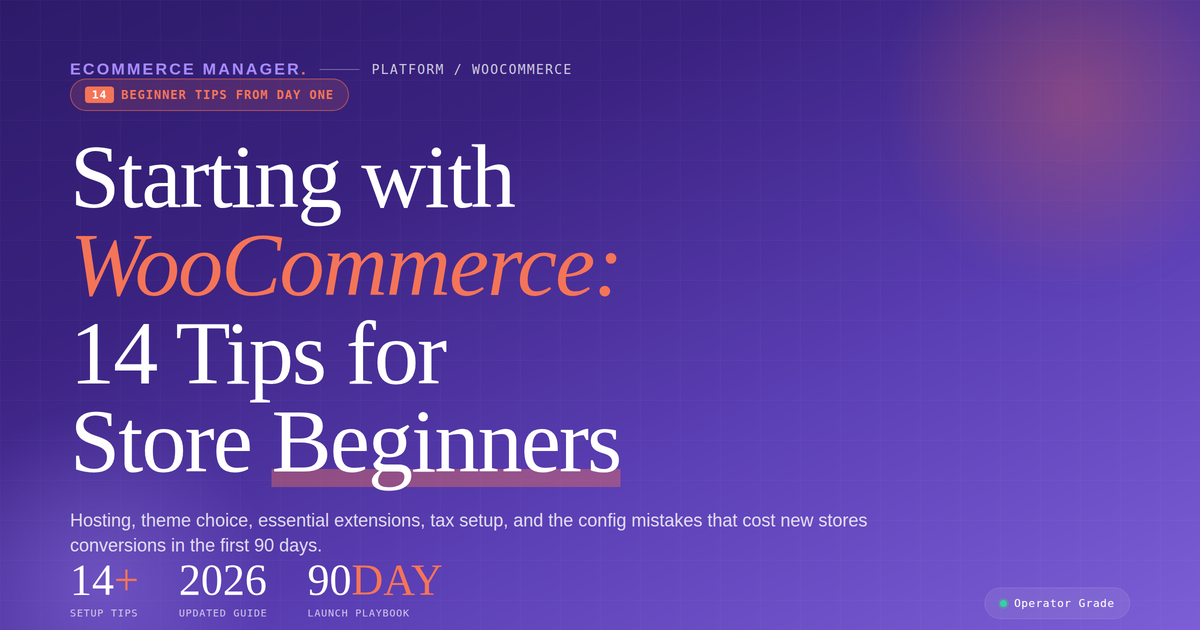
Starting with WooCommerce: 14 Tips for Beginners
Building a successful WooCommerce store requires more than just installing a plugin and adding products. This guide compiles 14 essential tips from ecommerce experts to help beginners avoid common pitfalls and establish a solid foundation from day one. These strategies cover everything from technical setup and operations to customer experience and growth tactics that actually move the needle.
- Nail Product Data Quality
- Simplify And Center The Purchase Experience
- Connect Store To Automated Follow-Up
- Define URL Structure And Crawl Rules
- Architect Fulfillment And Operations Upfront
- Put Trust Signals Beside Buy Button
- Minimize Stack And Maintenance Burden
- Register And Optimize Google Local Profile
- Equip Support To Resolve Multi-Intent Issues
- Prioritize First Hundred Customers
- Ensure Keyboard Accessible Checkout Flow
- Govern Claims With Structured Controls
- Align Platform With Business Strategy
- Master Unit Economics Early
Nail Product Data Quality
Having helped businesses scale dramatically using WordPress and WooCommerce, the single biggest mistake I see new store owners make is treating their product data as an afterthought.
Your product feed is everything. Incomplete descriptions, missing pricing, or outdated stock availability will silently kill your sales before you’ve even started advertising. When I’ve run Google Ads for e-commerce clients, the campaigns that underperformed almost always traced back to a messy product catalogue, not the ads themselves.
Get obsessive about keeping your product information clean, accurate, and detailed from day one. Titles, descriptions, pricing, availability – treat these like living data, not a one-time setup task. WooCommerce makes this manageable, but only if you build the habit early.
The stores I’ve seen scale fastest were the ones that nailed their product data first, then layered traffic on top. Do it the other way around and you’re just paying to send people to a leaky bucket.

Simplify And Center The Purchase Experience
The most important advice is to start simple and build around the customer’s buying experience, not around plugins.
Get the fundamentals right first: reliable hosting, a clean mobile-friendly theme, secure payments, clear shipping and return policies, and a smooth checkout. Avoid installing lots of plugins at the beginning; each one can affect speed, compatibility, and maintenance.
Before launching, place a test order yourself from the product page to the confirmation email. If buying feels easy and trustworthy to you, it will be far more likely to convert for your customers.

Connect Store To Automated Follow-Up
Treat your WooCommerce store as a conversion system, not just a storefront. I’ve been building websites since 2002, and the biggest mistake I see is people launching a site with no thought given to what happens after someone lands on it.
Connect your store to a CRM or, at minimum, an automated follow-up system from day one. At Marketing Magnitude, I’ve seen abandoned carts and cold leads turn into paying customers simply because a well-timed automated email was in place—something most beginners skip entirely.
Your product pages need to do selling work, not just display work. Write copy that answers the real questions a buyer has before they hit “add to cart.” That single change has moved the needle for more of my clients than any design overhaul ever has.

Define URL Structure And Crawl Rules
The most important advice is to sort your URL structure and indexation rules before you load a single product, because WooCommerce quietly multiplies URLs and the mess only becomes visible months later. Permalinks, categories, tags and filtered archives all mint pages, and whatever exists at launch is what Google spends the next year crawling.
We took over a craft supplies store with around eighty products and found 1,900 URLs sitting in Google’s index. Tag archives with one product in them, paginated category pages, filter combinations, the shop’s own search results. The owner had done nothing wrong by Woo’s defaults; the defaults had done it for her. The store’s genuine pages were competing for attention with a swarm of near-empty ones, and unpicking it meant months of redirects, pruning and waiting for the index to catch up before rankings moved anywhere.
Starting fresh, the same outcome costs an afternoon. Set your permalink structure on day one and frame it as permanent, because changing URLs later is a migration with your rankings strapped to it. Plan the category tree the way you would plan aisles in a physical shop, one clear home per product, and resist tags entirely unless you can name a reason a customer would use them. Keep filters, internal search results and thin archives out of the index from the start.
None of this feels urgent while you are excited about themes and product photography, which is exactly why it gets skipped. But structure is the one early decision that accumulates either for you or against you, and it is far cheaper to decide well than to repair.

Architect Fulfillment And Operations Upfront
I watched a DTC coffee brand burn through $40,000 in their first year because they treated WooCommerce like a shopping cart instead of a business system. They obsessed over theme design and product photos while completely ignoring the operational backend. When orders started flooding in, they had no automated inventory sync, no shipping rules, and their fulfillment partner couldn’t integrate properly. They were manually entering orders into spreadsheets at 2am.
Here’s what nobody tells you: pick your fulfillment strategy BEFORE you launch your WooCommerce store. Not after. I’ve seen this mistake dozens of times through Fulfill.com when brands come to us in crisis mode. They built a beautiful storefront but never thought about how products actually get from warehouse to customer. WooCommerce is incredibly flexible, which is both its strength and its trap. You can bolt on any plugin, connect to any system, but that means you need to architect the whole operation upfront.
The most important advice? Map your entire order flow on paper first. Where will inventory live? How does WooCommerce know what’s in stock? Which shipping carriers will you use and how do rates calculate at checkout? What happens when someone returns a product? If you’re using a 3PL, does their system integrate natively with WooCommerce or will you need middleware like ShipStation?
When I ran my fulfillment company, we charged brands extra to deal with poorly configured WooCommerce stores because manual workarounds ate up our labor costs. The brands who succeeded were the ones who treated their tech stack like infrastructure, not decoration. They tested their entire checkout and fulfillment process with real orders before spending a dollar on Facebook ads.
Start with operations and work backward to design. Your customers don’t care if your site has parallax scrolling. They care if their order shows up on time and the tracking link actually works.

Put Trust Signals Beside Buy Button
Start with trust beside the buy button, not a stack of plugins. On a site I worked on, we moved the returns promise, a real human name and the response time out of the footer and placed them beside the purchase action. Conversions from new visitors went up without changing the product or price. A first-time buyer is deciding whether you will still answer if something goes wrong, so resolve that fear before adding clever features.

Minimize Stack And Maintenance Burden
Understand that WooCommerce hands you total control, and control arrives as a maintenance bill. The store isn’t a project you finish, it’s a system you now own: the hosting, the updates, the plugin conflicts, the security patches. Decide up front how much of that you’re willing to carry, because that decision, not the theme, is what determines whether the store is still fast in a year.
I run APMZEE on Shopify rather than Woo, and I’ll be straight that this was exactly the reason. When I costed both properly at the start, Woo meant hosting, a developer on call, and paid plugins for subscriptions, reviews and email. It wasn’t cheaper, it was differently expensive, and the currency I’d be paying in was my own attention. As a solo founder, attention was the scarcest thing I had. If you have a developer, or you enjoy that work, Woo is the better tool and you should take the control.
Where the advice applies either way, and I learned this on our own stack, is plugin discipline. Every plugin is a dependency, a security surface and a slice of load time. We let our app stack drift up to 14 before anyone looked at what it had done to mobile load, and cutting it back to 6 did more for conversion than any redesign we’ve run since. On Woo the same lesson bites harder, because a plugin conflict there is your problem to fix at 11pm rather than someone else’s.
So pick the smallest stack that runs the business, only install what you’d be happy to pay for and update yourself, and put analytics and email capture in on day one. Almost every other decision can be reversed. The ones you can’t reverse are the ones you never collected data on.

Register And Optimize Google Local Profile
With over 20 years of experience in brand strategy, web design, and integrated marketing at 1558 Brand Agency, I always tell clients starting with WooCommerce that your actual website launch is just the beginning of your search visibility. My most critical advice is to immediately claim, optimize, and link your Google Business Profile to your store to dominate local discovery search.
Many new store owners neglect the “from the business” description at the bottom of their profile, but this 750-character space is a prime spot to market your new store in your own words. When we optimize these profiles for clients, we make sure to put the most critical benefits in the first half of the summary and select highly specific primary and secondary categories to ensure they show up in the right searches.
Additionally, you need to actively build social proof by requesting and responding to customer reviews through your communication channels. This feedback loop, combined with high-resolution product photos saved at Google’s preferred 720 px by 720 px resolution, builds the immediate trust needed to convert hesitant online searchers into confident buyers.

Equip Support To Resolve Multi-Intent Issues
While I don’t run a WooCommerce store myself, my team at AGO builds the AI customer operations systems that independent ecommerce retailers rely on. When I look at the stores that gain traction early, they don’t just focus on site design or shipping speed. They set up their support infrastructure to handle messy, multi-intent queries right out of the gate.
Usually, a new customer reaches out with more than one problem at once. They want to check a delivery status, but they also realize they need to update the unit number on their shipping address. Basic request-and-response chatbots, which are tempting to install when you are just starting out and trying to keep costs low, typically break down here. They end up forcing the buyer into a frustrating escalation loop.
In our deployments, we’ve found that roughly 35 percent of ecommerce support tickets actually contain these kinds of overlapping intents. By setting up memory-capable agents that plug directly into the store’s backend—allowing the chat interface to pull live carrier data and handle the address change on the spot—we watched automated resolution rates jump from 38 percent to 67 percent. If a first-time buyer can get a multi-step problem solved on your new store in ten seconds rather than waiting 48 hours for a manual email reply, they stop treating your brand as a disposable commodity.

Prioritize First Hundred Customers
Stop obsessing over your store setup and start obsessing over your first 100 customers. That’s it. Every hour you spend tweaking plugin configurations, comparing themes, or perfecting your product descriptions before anyone has ever bought from you is an hour wasted.
I call this “launch theater.” It feels productive, but it’s procrastination dressed up as work. I watched my parents fall into this trap running their small businesses. They’d spend weeks getting everything pixel-perfect before putting it in front of a single customer. Then they’d launch and realize nobody cared about the thing they spent all that time polishing.
When I was helping them market on social media, the thing that actually moved the needle was never the storefront. It was getting content in front of real people, fast. One video I made for them in an afternoon drove more traffic than months of tweaking their online presence.
With WooCommerce specifically, here’s what matters on day one: pick a clean theme, upload your products with decent photos, set up Stripe or PayPal, and go live. That’s a weekend of work, max. Then spend every remaining hour figuring out how to get eyeballs on your store. Run a small ad budget. Post content daily. Email ten people you know who might buy. DM potential customers on Instagram.
The data you get from real visitors is worth more than any amount of pre-launch optimization. You’ll learn which products people actually click on, where they drop off, what questions they ask. That information reshapes everything, your copy, your pricing, your product mix.
The best WooCommerce store isn’t the prettiest one. It’s the one that talked to customers earliest and iterated fastest. Ship ugly, learn fast, and let real demand tell you what to build next.

Ensure Keyboard Accessible Checkout Flow
Pick one thing to get right on day one: the checkout flow has to be fully operable by keyboard alone. Not the homepage, not the theme demo—the actual add-to-cart, address form, and payment step. That’s where lawsuits land, because a shopper who can’t complete a purchase has demonstrable harm.
Most off-the-shelf WooCommerce themes and payment plugins pass a marketing eye test and quietly fail keyboard focus, form labels, and error announcements—third-party payment iframes are a repeat offender, since focus gets trapped or lost between the parent form and the widget.
Every WooCommerce store I’ve audited that failed compliance had one thing in common—they treated accessibility as a Phase 2 problem, and Phase 2 never came. Retrofitting a live store runs multiples of what building it right would have cost. Bake a keyboard-and-screen-reader pass into every release, not once a year.

Govern Claims With Structured Controls
Most founders pick a theme and start loading SKUs. The ones who survive in a regulated category design their claims guardrails before the first product page goes live, because WooCommerce will let you publish anything, and the FTC won’t care that you didn’t know better.
The real advantage of WooCommerce for a health brand is the open plugin ecosystem — you can wire subscription logic, review moderation, and claims controls into the stack. The trap is the same openness. Auto-generated related products, templated short descriptions, and UGC review widgets all quietly manufacture claim sprawl if you don’t sit a claims library and a pre-publish QA step in front of them. At Happy V we govern language under structure-function rules before it hits a template — because retrofitting copy across hundreds of touchpoints compounds every SKU and channel you add. Pick how you’ll govern claims first. Pick the platform second.

Align Platform With Business Strategy
For someone new to WooCommerce, my biggest advice is: don’t treat it like “just a website plugin.” Treat it like the foundation of your online selling operating system. WooCommerce gives entrepreneurs flexibility, but flexibility only matters if it is tied to a clear business strategy. Before adding products, plugins, automations, or design features, get clear on three things: who you serve, what buying experience they expect, and what operational process you need behind the scenes to deliver consistently.
In my work building companies, advising founders, and developing AI-driven operating systems through Steven Mitts Services, I see the same mistake often: beginners focus too much on features and not enough on flow. Your store should not just look good. It should make it easy for customers to buy, easy for your team to fulfill, and easy for you to measure what is working.
Reflecting on my own journey, I remember the early days of launching IV20 Spirits. We spent four years in R&D, testing thousands of iterations to perfect our product. This taught me the importance of a solid foundation and clear strategy before scaling. Similarly, with WooCommerce, start simple. Launch with the fewest products, pages, and plugins needed to create a clean customer journey. Avoid plugin overload early because too many tools can create technical debt before you even have traction. Track the numbers from day one — traffic, conversion rate, cart abandonment, average order value, and repeat purchase behavior. And think about scalability early: hosting, payments, fulfillment, CRM, email, and analytics will either support growth or become bottlenecks later.
“WooCommerce is not just an online store builder; it is a business infrastructure decision. New entrepreneurs should approach it the same way they approach hiring, finance, or operations — with clarity, discipline, and a plan for scale.”
“The mistake beginners make with WooCommerce is thinking technology will create the business. It won’t. The business model, customer experience, and operating process come first. WooCommerce should support those decisions, not replace them.”

Master Unit Economics Early
I mostly work with law firms, so I’ve only had a little exposure to eCommerce and I definitely wouldn’t call myself a WooCommerce expert. But from a business standpoint, I’d say don’t get too caught up trying to build the perfect store. Get the numbers right first. Know what it costs to acquire a customer, your conversion rate, average order value, and actual margin. A store doing $50,000 with healthy margins can be a much better business than one doing $100,000 and barely making money.

Related Articles
- Shopify Store Advice: 18 Tips for Getting Started – eCommerce Manager
- Starting Out with BigCommerce? 7 Tips for Beginners
- 8 Tips for Growing a Business on WooCommerce