

Last Updated on September 29, 2026
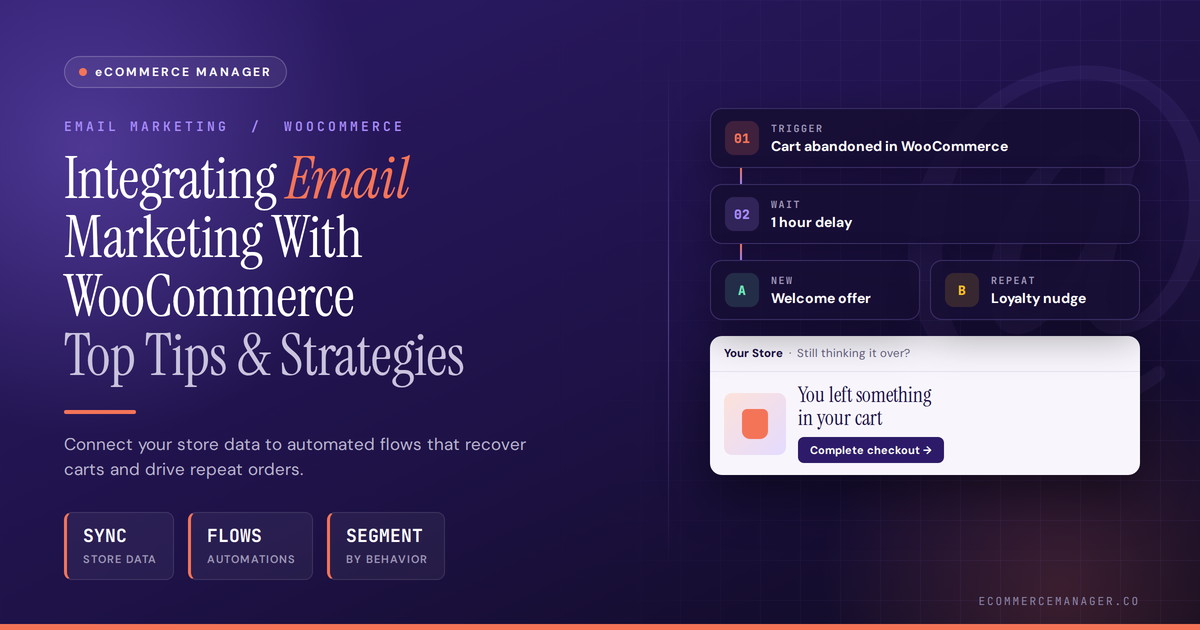
Integrating Email Marketing With WooCommerce: Top Tips & Strategies
Email marketing can transform a WooCommerce store’s revenue when executed with precision and strategy. This guide compiles actionable tactics from ecommerce specialists who have built successful email programs that convert browsers into buyers and one-time customers into loyal repeat purchasers. The strategies ahead cover segmentation, automation, personalization, and retention techniques designed to work seamlessly with WooCommerce’s architecture.
- Match Objections to Category Interest
- Capture Context Through Product Inquiries
- Offer Fit Guides at Peak Intent
- Personalize Lifecycle Automation With Customer Data
- Trigger Useful Post-Purchase Replies
- Pair Email With Handwritten Milestone Notes
- Tell Transformation Stories in Cart Recovery
- Send Care Tips After Completion
- Drive Subscribers Through Local SEO Resources
- Extend Purchases With Themed Follow-Ups
- Route Category Tags Into HubSpot Sequences
- Gate Niche Content for Decision-Makers
- Centralize Outreach in RewardLion
- Place Signup Fields at Purchase Stages
- Create a Valuable Subscription Habit
- Tailor Win-Back Timing to Repurchase Cycles
- Time Retention Messages Around Fulfillment
- Ask for Opt-Ins After Experience
- Capture Leads Through Live Chat
- Segment Audiences by Purchase Behavior
- Restate the Core Integration Question
- Build Event-Based Campaigns With Klaviyo
- Track Attribution Across Campaign Sources
- Segment by Service From First Touch
- Leverage Wishlists for Natural Referrals
Match Objections to Category Interest
After 35+ years in marketing and building ecommerce sites at ForeFront Web, my biggest WooCommerce email tip is this: don’t just connect email; connect behavior. Use Klaviyo for WooCommerce so product views, cart adds, checkout starts, and purchases can trigger different messages.
The State of eCommerce in 2026
The most useful flow is not a generic abandoned cart email. Build it around the product category they showed interest in, then answer the objections that usually stop the sale: shipping, sizing, compatibility, returns, installation, etc.
For list growth, I like contextual signups instead of sitewide popups. Put a “get the buyer’s guide” or “find the right product” CTA on category and product pages, because that matches the visitor’s intent in the moment.
Also, track the whole path in GA4: signup source, email click, add-to-cart, purchase, and drop-off. If you only measure list size, you’ll grow a list that looks good and buys nothing.

Capture Context Through Product Inquiries
Hi,
I’m Charles Liu, founder and Marketing Director of Cubic Promote, a Sydney-based business employing around 30 people across Australia, the Philippines, Vietnam, and India.
My main tip is not to treat WooCommerce and email as two separate systems. The useful part of WooCommerce is the intent data it gives you, such as what someone bought or which type of product they were interested in, and that should influence what you send them next.
We use behavioural segmentation in our marketing, which is really just grouping people by what they’ve actually shown an interest in. We sell thousands of different promotional products, so someone looking at branded drinkware doesn’t need the same follow-up as someone sourcing uniforms or merchandise for an event.
The Complete 2025 E-commerce Manager Career Guide: From Entry-Level to Executive
For growing the list, I prefer capturing interest when the customer already has a reason to engage rather than relying heavily on a generic newsletter pop-up. A quote request, product enquiry or mock-up request tells us much more about what that person needs, and with the right marketing consent, it gives you a much better starting point for future email.
That means I would rather have a smaller list where we understand why people joined than a huge list we have to blast with the same message. The email address matters, but the context around it is what makes WooCommerce useful.

Offer Fit Guides at Peak Intent
The tip that changed our numbers: stop putting the signup form in the footer and start earning the email at the moment of highest intent, which on WooCommerce is the size or fit question, not the homepage.
We run email for a menswear ecommerce brand on WooCommerce. For a long time, list growth came from a footer signup and an exit popup offering 10 percent off. It worked in the sense that it collected addresses, and those addresses converted badly. Discount hunters.
What we changed: we added a small inline block on the product page, under the size selector, offering a fit guide by email for that specific category. No discount. Just the guide, plus a note that we would send a reminder if their size came back in stock. It required nothing exotic, a WooCommerce hook to drop the form under the variation dropdown and a tag passed into the email platform carrying the product category.
Signup volume dropped by about a third against the exit popup. Revenue per subscriber over the following 90 days roughly tripled, because the people who ask for a fit guide are people trying to decide on a purchase, and the tag tells you exactly what they were looking at.
On the integration itself, the piece most people skip is passing order data back into the email tool, not just contacts. Once the platform knows last order date, category and value, you can build the flows that actually pay: category-specific replenishment, a win-back that references what they bought, and a suppression rule that stops you emailing a promo to someone who paid full price yesterday. We use Brevo for this and the WooCommerce connector handles the sync, but any tool that accepts order webhooks works.
Marketing Calendar: A Complete Guide
One warning: test the accent handling on non-English product names before you go live. We lost a week of data to that.
Current flow revenue for that client sits around 30 percent of total email revenue.

Personalize Lifecycle Automation With Customer Data
One lesson I’ve learned from working with businesses that sell online is that the biggest email-marketing mistake is treating the email list as a separate asset from the customer journey. With WooCommerce, I’d want the store and email system working together so customer behavior actually informs what gets communicated.
My biggest tip is to connect email automation to meaningful actions, not simply send the same newsletter to everyone. Someone who just purchased, someone who abandoned a cart, and someone who hasn’t bought in six months are at completely different stages of the relationship. Their emails should reflect that.
For growing the list, I’ve found that a useful incentive paired with a simple, well-timed signup form works better than asking visitors to “join our newsletter” with no clear reason. Depending on the business, that incentive could be a first-purchase discount, useful guide, exclusive offer, or early access to something customers genuinely want.
I remember seeing this distinction with clients where the focus initially was simply getting more email subscribers. Once we shifted the conversation toward attracting the right subscribers, the list became much more valuable. Ten people who actually want the product can be more useful than hundreds who signed up for something they don’t care about.
I also like segmenting customers based on purchase history. If someone has already bought a particular product, for example, future emails can focus on complementary products, replenishment, education, or relevant offers rather than trying to sell them the exact same thing again.
The strategy I’d prioritize is a simple automated lifecycle: welcome emails for new subscribers, abandoned-cart reminders, post-purchase follow-ups, and re-engagement campaigns for inactive customers. Those sequences can keep working in the background while the team focuses on other parts of the business.
For me, the goal isn’t to send more emails. It’s to make each email more relevant. WooCommerce gives you valuable customer and order data; the real opportunity is using that information thoughtfully to build a more personalized relationship rather than treating every subscriber like the same person.

Trigger Useful Post-Purchase Replies
I set up a post-purchase email sequence triggered by order status changes inside WooCommerce, and that single automation consistently outperformed every opt-in popup and discount wheel I’d tried for list growth. Buyers who already spent money opened emails at much higher rates than cold subscribers, and a percentage of them forwarded product recommendations to friends who then signed up themselves.
The practical move was keeping the first post-purchase email useful: order confirmation, shipping detail, and one clear ask to reply with feedback. That reply trained inbox providers to treat my sends as wanted mail, which kept deliverability high across my whole list.

Pair Email With Handwritten Milestone Notes
My tip for WooCommerce sellers: don’t let email be the only touchpoint after purchase. We work with a bunch of ecommerce brands running WooCommerce and Shopify, and the ones getting the best repeat purchase numbers pair their email flow with one physical moment that email just can’t replicate.
Practically, that looks like this. Someone hits a milestone—third order, one year as a customer, whatever—and instead of yet another automated email that lands in a promotions tab, they get a real handwritten note in the mail a few days later. We see open engagement on that note around 99%, obviously way higher than any email metric, because almost nobody throws away something that looks handwritten.
The tool side matters too. We built our own robotics so the notes are genuinely pen on paper, not a font pretending to be handwriting, and we hook it into WooCommerce and Shopify via webhook so it fires automatically off the same triggers you’re already using for email: cart abandonment, first purchase, win-back campaigns.
Cheap to test too: $0.89 a note, and it’s the rare marketing channel that gets opened literally every time.

Tell Transformation Stories in Cart Recovery
The tip I keep coming back to: treat your abandoned cart email as a storytelling moment, not a reminder. Instead of “You left something behind,” lead with the transformation the product delivers, then back it up with a single customer testimonial before you show the cart. That shift alone changed conversion behavior for a boutique skincare brand we worked with — their welcome sequence with story-driven copy and social proof drove a 214% increase in first-purchase conversions.
For list growth specifically, the exit-intent popup tied to a hyper-relevant lead magnet outperforms generic discount offers every time. A skincare store offering a “7-Day Clear Skin Routine” guide captures way more qualified emails than “Get 10% off” — and those subscribers already self-identify as your ideal buyer before they ever hit your welcome sequence.
On the tool side, Klaviyo connects cleanly with WooCommerce and lets you segment by purchase category, spend threshold, and browse behavior without needing a developer every time you want to build a new flow. That behavioral data is where the real personalization happens.

Send Care Tips After Completion
With over 22 years building and marketing e-commerce websites, my top tip is syncing WooCommerce order status triggers directly to post-purchase retention workflows. Instead of standard receipts, use the “Completed” order trigger to automatically follow up with tailored care tips and category-specific reorder timing.
For tools and list growth, I rely on Klaviyo integrated with WooCommerce to run automated, category-based incentives. Offering exclusive VIP restock alerts or seasonal drop notifications directly on high-traffic product category pages captures visitors who aren’t ready to buy on their first visit.
Treating your email strategy as a helpful post-purchase guide rather than a generic promotional blast keeps retention and repeat sales high.

Drive Subscribers Through Local SEO Resources
Running ROI Amplified, our automated email systems generated over twenty million dollars in revenue in 2021 alone. My top tip is integrating WooCommerce directly with HubSpot to trigger automated behavioral workflows based on full customer journey data rather than basic transactional receipts.
Pair those workflows with clean email design and killer subject lines to engage shoppers and keep them from hitting unsubscribe.
For list growth, my go-to strategy is publishing hyper-targeted local SEO content and linking it to dedicated landing pages offering high-value downloadable resources.

Extend Purchases With Themed Follow-Ups
Running an online store that scaled to seven figures and shipped over 200,000 products gave me direct experience linking marketing tools to WooCommerce order flows.
One tip is to connect a simple abandoned-cart email plugin so it pulls real purchase history and sends follow-ups that match a customer’s first buy, like suggesting a new sports graphic tee after they grabbed leggings.
This approach grew our list by turning every checkout into an opt-in for themed updates on fresh drops such as book-lover mugs or BBQ dad apparel.
Customers stay engaged because the emails feel like natural extensions of the humorous designs they already chose.

Route Category Tags Into HubSpot Sequences
Running a design agency for 16 years and building dozens of conversion-focused websites gives me a clear view of where email integration actually breaks down—and it’s almost never the tool itself.
The biggest mistake I see with WooCommerce email setups is treating the form as the finish line. Your form fill is just the handoff point. What matters is what your CRM does with that data the moment it comes in. We rebuilt the PhotoShelter website and saw form conversions double immediately at launch—but the real win was having a clean system behind it that could nurture those leads predictably all the way down the funnel.
My one concrete tip: make your post-purchase flow do the list-building work for you. Trigger a segmentation tag at checkout based on product category, then route those buyers into sequences that actually match what they bought. Most stores blast the same email to everyone and wonder why open rates tank.
The tool I’d push for this is HubSpot connected directly to WooCommerce via a native integration. We’ve built similar CRM-to-website pipelines across multiple industries, and the single-source-of-truth approach—where your customer data lives in one place and talks to everything else—is what separates a list that grows from one that stagnates.

Gate Niche Content for Decision-Makers
As CEO of Mercha, an e-commerce platform built for B2B merch orders, I’ve seen how email ties directly into checkout flows on sites like WooCommerce to capture buyers at key moments.
One tip that works is to gate useful blog content on marketing tactics, such as EOFY budget ideas or branded merch guides, and sync those forms straight into WooCommerce for instant list adds.
This draws in decision-makers already researching promotional products without relying on generic popups.
From there, we send targeted follow-ups to existing customers based on their industry segments, offering loyalty incentives that keep the conversation going past the initial signup.

Centralize Outreach in RewardLion
I run RewardLion, an all-in-one OS that handles email marketing alongside WooCommerce and other platforms through built-in integrations and Zapier connections.
Our dynamic email builder lets you pull WooCommerce order details straight into campaigns using drag-and-drop templates. This keeps everything in one system instead of juggling separate tools.
For list growth, we set up dedicated opt-in forms on WooCommerce sites with one of our thousand pre-made templates that match the store’s brand voice. The data flows directly into automated nurture flows managed inside the OS.
That approach gives full tracking across channels without spreadsheets or disconnected apps.

Place Signup Fields at Purchase Stages
In my work directing brand strategy for clients like government and nonprofit organizations at 1558 Brand Agency, I’ve set up email systems connected to e-commerce tools to turn visitors into ongoing supporters.
A practical tip for WooCommerce is embedding simple signup fields at key checkout stages so new contacts flow straight into your email platform without extra steps.
This strategy worked well for a political campaign client, where merchandise sales pages captured emails for regular updates, helping maintain steady engagement without separate forms.

Create a Valuable Subscription Habit
Email should feel like a product, not a weekly blast. Start with triggers: welcome, browse abandonment, post-purchase, and win-back. Give each message one job and one obvious payoff. A giant newsletter with five competing CTAs is just a junk drawer.
For list growth, make the promise specific and worth sharing. A useful template, a sharp point of view, or a genuinely funny recurring format beats another generic discount. Memelord started as the $6.90/month Meme Alerts newsletter, so I learned early that people subscribe to a signal, not a content dump. Build the habit, then let the product do the selling.

Tailor Win-Back Timing to Repurchase Cycles
Set up MailPoet to automatically flag customers who hadn’t purchased within a category-specific window based on their historical buying pattern, rather than using a single generic churn window across all product types; this integration change produced the most measurable revenue recovery.
WooCommerce order data revealed that repurchase cycles varied considerably by product category, with some customers buying every three weeks and others every four months. Treating everyone against a single “hasn’t bought in 60 days” rule meant we were either targeting loyal customers too early or missing genuinely lapsing customers too late.
Built segment rules in MailPoet using order history data pulled directly from WooCommerce, calculating each customer’s typical repurchase interval and triggering win-back emails specifically when they exceeded their own historical pattern rather than a blanket timeframe.
Win-back email conversion improved from roughly 4 per cent using the generic 60-day rule to about 11 per cent using the personalised interval approach.
For list growth specifically, the strategy that’s worked best is a simple post-purchase survey question offering a discount code in exchange for one piece of feedback, which captures both an engaged email address and useful product feedback simultaneously rather than treating them as separate acquisition efforts.

Time Retention Messages Around Fulfillment
We ran a 7-figure e-commerce brand before building ShipDaddy, and the single biggest mistake I see WooCommerce stores make is treating email like a broadcast channel instead of a retention engine. Everyone obsesses over growing their list when they should be obsessing over what happens after the first purchase.
Here’s what actually moved the needle for us: we integrated Klaviyo with WooCommerce and built a post-purchase flow that triggered based on actual fulfillment data, not just order confirmation. Most brands send a generic “thanks for your order” email. We waited until the package was actually picked up by the carrier, then sent a personalized email with the tracking number plus a specific product education piece related to what they bought. That one change took our repeat purchase rate from 18% to 31% in four months.
The strategy that grew our list fastest wasn’t a popup or a discount code. It was leveraging our 3PL relationship to include a physical insert card in every shipment with a QR code. Scan it, get early access to new products. Conversion rate on those cards was 12%, way higher than any digital popup we tested. When you’re already paying for fulfillment and shipping, that insert costs you maybe eight cents and it arrives exactly when the customer is most excited about your brand.
For list growth specifically, we connected our WooCommerce checkout to offer a post-purchase upsell that required email opt-in. Not at checkout where it creates friction, but on the thank you page. Customers who just bought are in a yes mindset. We offered a free downloadable guide related to the product category and captured emails at a 40% rate without any discount.
The tool stack matters less than the timing. Most email platforms integrate fine with WooCommerce. What matters is sending the right message at the moment when customer intent is highest, and that moment isn’t when they land on your site. It’s right after they buy and right after their package arrives.

Ask for Opt-Ins After Experience
We are using Square for both service and retail, not WooCommerce; therefore, I will discuss principles. Our practice that moved our list most wasn’t a popup or a discount gate—it was simply putting the email collection at the end of the experience as opposed to the beginning. In experiential retailing, the highest emotional point is after your customer has experienced your store/service; therefore, asking customers to opt in while leaving the store is significantly higher than when they enter the store.
Logistically, we have tied the capture of their contact information with receipt time, along with a quick post-visit follow-up built into the close-out procedure—all under one standard operating procedure (SOP) as used throughout the store.
We utilize this to build the retail attach we could not accomplish within the suite: robes, bath salts, gift cards, our beer-infused skincare products. Using WooCommerce, the same thinking would be to place the email capture at Order Complete, as well as include a QR code for customers to scan, which allows them to input their data into whichever email service provider (ESP) they are currently utilizing. Lean, no enterprise stack.

Capture Leads Through Live Chat
At FZP Digital, we build custom WordPress websites and manage complete email marketing strategies and CRM integrations for businesses. My top integration tip is connecting your WooCommerce customer data directly into your CRM so you can track behavioral analytics and map out targeted email journeys.
For our client workflows, we partner with **Constant Contact** to manage template designs, automated tracking, and reporting tied directly to client lists.
To grow your list effectively without relying on disruptive pop-ups, integrate a live chat lead generator like **Apex Chat** into your store pages. It creates an authentic, conversational touchpoint that answers buyer questions and captures qualified subscriber emails on the spot.

Segment Audiences by Purchase Behavior
My tip is to segment your list by actual purchase or engagement behaviour, not just signups, so a customer who has bought gets different emails from someone who only browsed. For growing the list itself, I have stuck with OptinMonster for opt-in capture and ConvertKit for managing subscribers for several years now.

Restate the Core Integration Question
No quote submission was provided to edit.

Build Event-Based Campaigns With Klaviyo
Klaviyo’s WooCommerce integration is the most useful setup I’ve used because it sends product, cart and order data into email flows without manual exports. That means abandoned cart emails can mention the exact item left behind, post-purchase emails can suggest related products, and win-back campaigns can trigger from time since last order. The tip is to build around events, not just newsletter sends, because behaviour-based emails line up with buying intent.
For list growth, the best-performing approach has been a sign-up form tied to a first-order offer and shown only on high-intent pages such as product pages, cart and checkout entry points. Generic site-wide pop-ups often bring in lower-quality subscribers who ignore later emails. Klaviyo forms or OptinMonster both work well here, and the useful part is connecting the form to WooCommerce tags so new subscribers can be segmented by category interest or cart value from day one.

Track Attribution Across Campaign Sources
With over 31 years in marketing and web development at Blue Ridge Media Company, my top integration tip is configuring detailed technical attribution tracking between WooCommerce and your email platform. Connecting an engine like Omnisend via webhooks ensures you can track email signups and revenue directly back to your specific marketing campaigns.
For list growth, our most effective strategy is pairing targeted paid ads with high-intent interactive lead generation forms and dynamic checkout opt-in boxes. This captures potential buyers at pivotal decision points across your site before they even browse away.
Unifying your WooCommerce store data with your email workflows gives you complete visibility into the customer journey. Treat your technical web infrastructure and lead generation as one combined system for the best results.

Segment by Service From First Touch
Running six spa locations in Orlando means our WooCommerce setup has to work hard across a lot of service types—massages, facials, laser hair removal—so I’ve learned a lot about what actually moves the needle.
The single highest-impact thing we did was segment email lists by service category from the moment someone books or browses. A customer interested in laser hair removal gets a completely different nurture sequence than someone who bought a facial package. Generic blasts killed our engagement; tight segmentation brought it back.
For list growth specifically, we use post-appointment follow-up as the entry point. The moment after a great 4.9-star experience is the most emotionally primed moment to ask someone to opt into ongoing offers—not a pop-up when they first land on the site cold.
The tool that made the WooCommerce segmentation manageable for us was Klaviyo. Its conditional flows let us trigger different email paths based on which product category someone purchased, without needing a developer every time we wanted to tweak logic.

Leverage Wishlists for Natural Referrals
With 33+ years in marketing across luxury jewelry brands, I’ve learned that email list growth lives or dies by the quality of your opt-in moment—not just the volume.
At John Atencio, one of our most effective list-building tools is our Wishlist feature. Customers save pieces they love, then share that wishlist via email with someone special. That sharing loop naturally pulls new contacts into our ecosystem in a way that feels personal, not transactional.
The strategic move is to connect WooCommerce to your email platform and trigger flows based on wishlist activity rather than purchases alone. Someone who’s saved an engagement ring but hasn’t bought is telling you exactly where they are in the decision journey—that’s a far more valuable signal than a generic browse.
My advice: map your opt-in incentives to real customer behavior that already exists on your site. A wishlist, a ring builder, a referral program—we run all three. Each one creates a natural, low-friction moment where someone willingly hands over their contact info because the tool itself delivers value first.

Related Articles
- Winning WooCommerce Campaigns: Tried & True Strategies
- Reducing Cart Abandonment: 10 Strategies for WooCommerce Stores
- 14 Email Marketing Campaigns That Engage Customers on Shopify—and Why They Work