

Last Updated on June 7, 2026
7 Tips for Overcoming Your Biggest WooCommerce Challenge
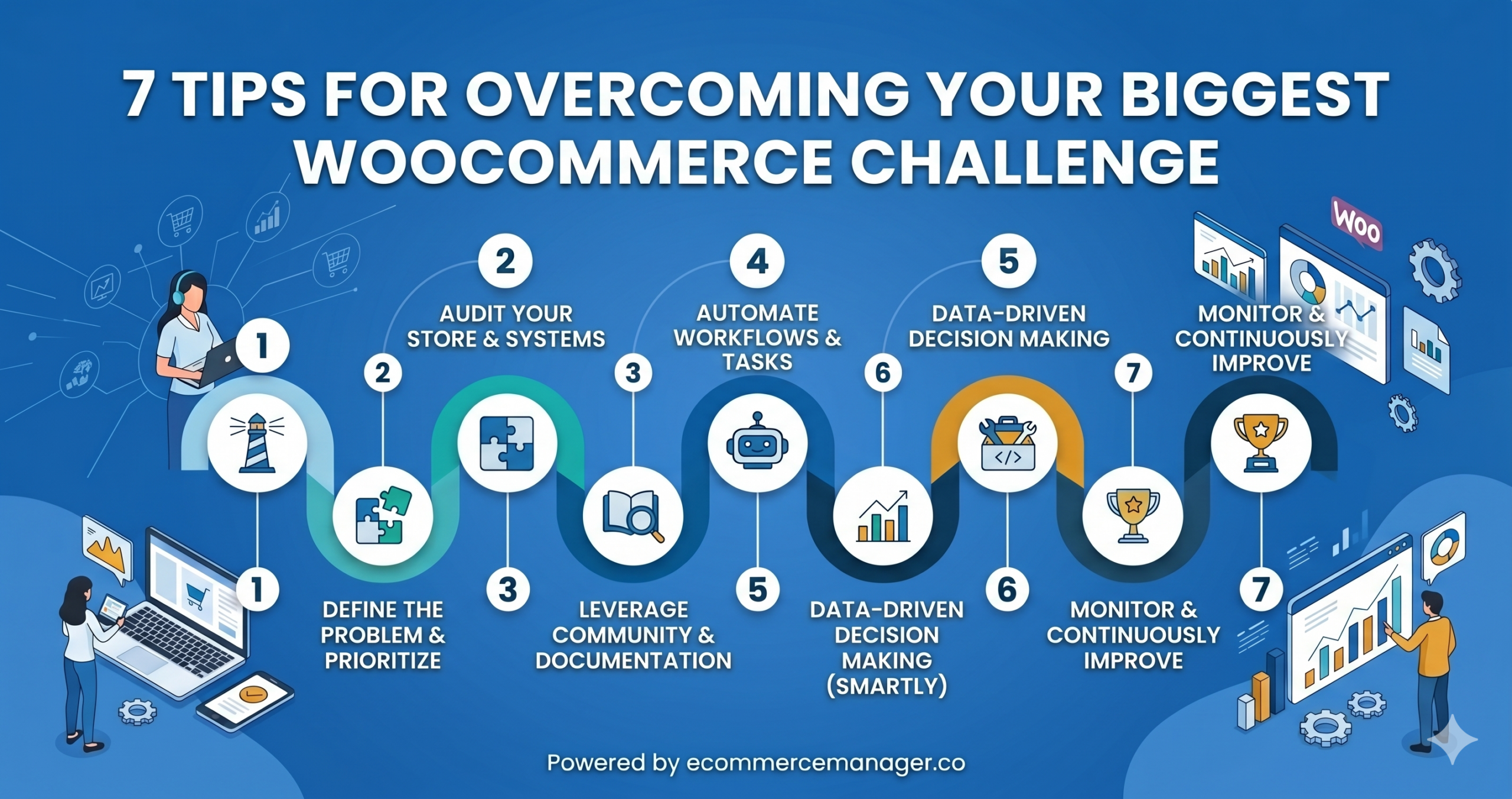
Running a WooCommerce store comes with technical challenges that can slow growth and frustrate even experienced developers. This guide presents seven practical solutions to common pain points, backed by insights from seasoned ecommerce professionals. These strategies address everything from managing complex product options to optimizing site performance and maintaining stability through updates.
- Fix Slowdowns With Database Cleanup and Redis
- Create Lean Child Setup on a Sandbox
- Tame Complex Options With Purpose Built Addon
- Pick Stable Theme and Limit Tweaks
- Test Updates on Clone Site and Map Touchpoints
- Split System Links and Monitor Each Path
- Prioritize Speed With Optimized Stack and Server Cache
Fix Slowdowns With Database Cleanup and Redis
WooCommerce will humble you the moment your store starts actually working.
Our biggest problem wasn’t setup. It came when traffic grew and the database started choking on product queries. Pages loading in two seconds suddenly took eight and customers were dropping off at checkout.
We dug in and found WooCommerce was storing every customer session and transient as separate database rows. Millions of entries nobody ever cleaned. The fix was scheduled database optimization and Redis caching. Load times dropped from eight seconds to under two within a week.
Nobody tells you WooCommerce performance is a database problem disguised as a hosting problem. Clean your database first before upgrading your server.

Create Lean Child Setup on a Sandbox
Customizing WooCommerce for different clients was a constant headache. Off-the-shelf themes would clash with plugins, especially after an update, often breaking the checkout. I learned that building a lightweight child theme from scratch was the only reliable fix. It kept the payment process working and the branding consistent. My advice is to set up a staging site and build it properly from the start. It saves a lot of trouble later.

Tame Complex Options With Purpose Built Addon
Ancient Warrior was struggling with WooCommerce because their replica swords had so many custom options, like different blades and engravings. The standard setup was just a mess. We found a plugin built specifically for complex variations and it actually solved the problem. If you’re in the same spot, test a few plugins and ask your customer service team what they think. The right tool makes everything easier.

Pick Stable Theme and Limit Tweaks
Keeping payments working was the biggest headache I had customizing WooCommerce. My advice is pick a solid theme that plays nice with WooCommerce and hold back on the tweaks, at first. The forums saved me too. I was stuck on one thing all day until someone pointed out a simple setting I had missed.

Test Updates on Clone Site and Map Touchpoints
We used to dread WooCommerce updates because they’d break our custom API workflows. Now we test everything on a staging site first and built a simple middleware to handle the connections. We haven’t had a major issue in months. If you’re in the same boat, map out every integration point. It makes troubleshooting way faster when something does go wrong.

Split System Links and Monitor Each Path
WooCommerce integrations can fall apart when your store gets busy or you’re connecting to too many other tools. Suddenly customer data isn’t syncing or orders get stuck. We learned to stop building one massive connection. Instead, we created small, independent links between systems and watched each one closely. When something broke, we knew exactly where to look. If you’re dealing with this, break your integrations down. Finding the problem becomes so much easier.

Prioritize Speed With Optimized Stack and Server Cache
The biggest challenge we faced with WooCommerce was the site speed – and it was silently killing our conversions. As we added plugins for reviews, upsells, analytics, and payment gateways, our page load time crept up and up. We noticed that our bounce rate was climbing and our ad performance declining despite no changes to our campaigns. We solved this by moving to a performance-optimized hosting setup, implementing server-level caching and limiting unnecessary plugins. My advice is to treat hosting and performance as a growth investment early – WooCommerce can scale well, but only if the technical foundation is solid.

Related Articles
- 8 Tips for Growing a Business on WooCommerce
- 25 Piece of Advice for Starting an Ecommerce Business (and Why)
- 4 Unexpected Challenges When Launching An Ecommerce Store