

Last Updated on September 15, 2026
The Best Ecommerce Website Builders for 2026
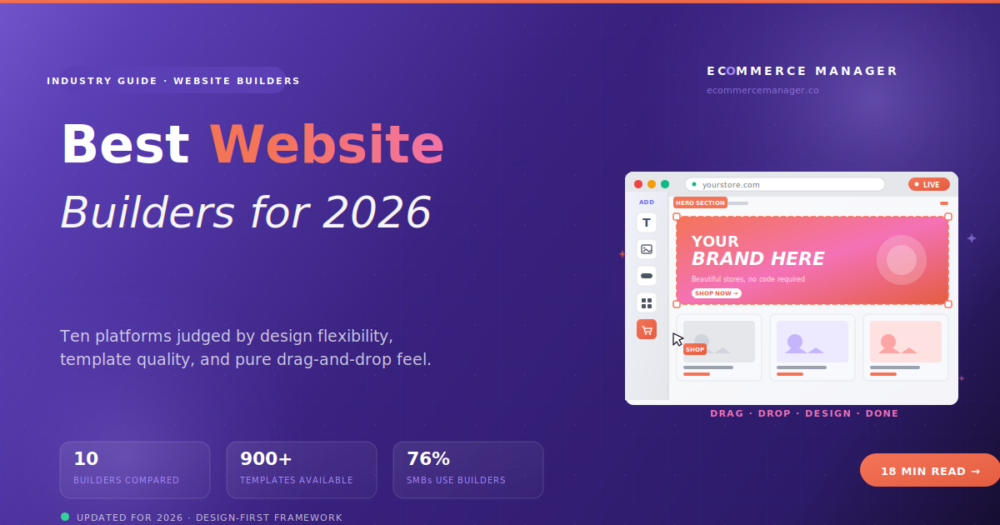
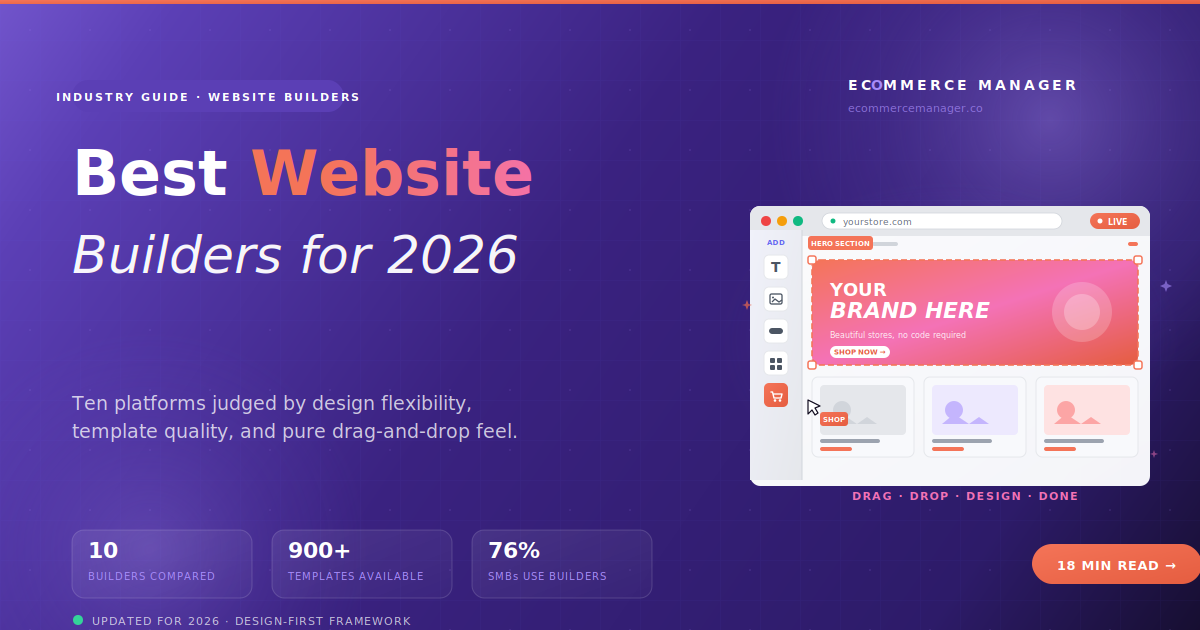
Not every merchant needs a commerce platform. Some just need a website with a store attached — a real drag-and-drop builder where design flexibility matters more than commerce depth. Here are the 10 tools that actually deliver that experience.
There's a confusion at the heart of every "best ecommerce website builder" article, and it costs merchants weeks of wrong-tool frustration. An ecommerce platform (Shopify, BigCommerce) is a commerce system with a site editor bolted on — the primary UX is managing products, orders, and payments, with basic template customization on the side. An ecommerce website builder (Wix, Squarespace, Webflow) is the reverse: a website design tool that added a commerce module. If you want a full website — with a blog, a portfolio, booking, a store, and a real drag-and-drop design experience — you want a website builder, not a commerce platform. This guide ranks the 10 that actually deliver that experience, judged by builder quality, template design, and design flexibility, not by commerce feature depth.
Website Builder vs Commerce Platform — Actually Different Things
Here's the distinction most articles pretend doesn't exist. Both categories call themselves "website builders" in marketing because everyone wants to be a website builder. The actual difference: what the primary UX is optimized for.
A commerce platform like Shopify or BigCommerce is designed for managing a store. When you log in, the dashboard is orders, products, and inventory. The site editor exists — and has genuinely improved in recent years — but it's not the point. The point is running a commerce operation. Templates are a means to an end.
A website builder like Wix or Squarespace is designed for building a website. When you log in, you're in a visual editor. Commerce is a module you add. The primary skill you're using is design and layout, not merchant operations. Templates are the point.
For merchants who genuinely need a WEBSITE (portfolio + about + blog + store, or service business + booking + store, or content-driven brand + store), the right tool is a website builder. For merchants who need a STORE with basic supporting pages, the right tool is a commerce platform. Different questions, different winners. Most "best ecommerce website builder" articles rank Shopify and BigCommerce alongside Wix and Squarespace as if they're the same thing. They're not. This guide keeps that distinction honest.
Who This Article Is Actually For
If you're any of the following, a website builder is the right category for you:
- A service business adding online sales. Photographers selling prints. Consultants selling ebooks. Yoga studios selling merch. Your business isn't primarily a store, so a commerce-first platform is overkill.
- A content creator or blog-first brand. Your site's primary content is articles, video, or portfolio. Commerce is one part of it, not the whole business.
- A design-conscious founder. The "another Shopify store" visual DNA drives you slightly insane. You'd rather have design flexibility and accept fewer commerce features.
- A non-technical solo operator. You want to build it yourself in a weekend without learning what a "collection" is. Drag, drop, done.
- A local business with light selling. You need website + booking + directions + store, all in one tool with one bill.
If you're operating a serious ecommerce business ($500K+/year, product-first, multichannel, complex catalog), you want a commerce platform, not a website builder. See the commerce platform guide for that.
The Four Criteria That Actually Matter for Website Builders
Every builder will claim "easy to use" and "beautiful templates." Here are the four things that actually decide whether a builder fits your project:
Drag-and-Drop Quality
Can you actually move elements freely, or are you locked into a grid? Wix has true pixel-level drag-and-drop. Squarespace uses a grid system. Webflow is designer-level control. Big difference in what you can build.
Template Quality
Do templates ship looking professional, or do they need 20 hours of customization to not embarrass you? Squarespace ships polished. Wix has 900+ but variable quality. GoDaddy templates are basic. Test before committing.
All-in-One Nature
Does it handle blog + portfolio + booking + store in one bill, or do you need to bolt on multiple tools? Squarespace, Wix, and Weebly are truly all-in-one. Shopify needs apps. Webflow needs some assembly.
Learning Curve
Can a non-technical merchant launch in a weekend, or is there a 20-hour learning investment? Wix and GoDaddy are launch-in-a-day. Squarespace takes 2-3 days. Webflow takes weeks. Match to your comfort.
Quick Comparison: 10 Ecommerce Website Builders
Sorted by builder experience and design flexibility, not commerce depth. "Templates" is a rough count of professional templates available. "Ease of Use" is judged on time-to-launch for a non-technical solo operator (5 dots = launch in an afternoon; 1 dot = expect weeks of learning).
| Builder | Type | Templates | Ease of Use | Starting Price |
|---|---|---|---|---|
WX Wix eCommerce |
True Drag-Drop | 900+ | $29/mo | |
SQ Squarespace |
Grid-Based | 200+ | $23/mo | |
WF Webflow |
Designer-Level | 1,000+ | $29/mo | |
SH Shopify |
Commerce-First | 200+ | $39/mo | |
GD GoDaddy Websites |
Beginner AI | 100+ | $14.99/mo | |
WB Weebly / Square |
Beginner | 50+ | Free / $29/mo | |
DU Duda |
Agency Builder | 150+ | $25/mo | |
HG Hostinger Website |
AI-Forward | 150+ | $3.49/mo | |
WP WordPress.com + Woo |
Content-First | 300+ | $25/mo (Commerce) | |
BG BigCartel |
Creator-Focused | 15+ | Free / $12/mo |
In a "best ecommerce platform" article, Shopify is the default #1 and hard to beat. In a "best ecommerce website builder" article, it's not — because Shopify is a commerce platform with a site editor, not a website builder that added commerce. Its site editing UX is genuinely improved (theme sections, Online Store 2.0), but it's still built around managing a store, not designing a website. Ranking it against Wix and Squarespace on their strength is fair; ranking it #1 among them is dishonest.
1. Wix eCommerce — The Pure Drag-and-Drop Leader
Wix eCommerce
Wix is the best pure drag-and-drop website builder in the category by a real margin, and its commerce module has quietly become genuinely competitive in the last two years. What makes it #1 for website-builder-focused merchants: true pixel-level positioning (move any element anywhere on the page), 900+ professional templates covering nearly every industry, native features for blog, booking, portfolio, and commerce in one bill, and zero platform transaction fees on all commerce plans. Setup is measured in hours, not days.
The trade-off: Wix isn't purpose-built for ecommerce like Shopify. Multichannel selling is weaker, the app ecosystem is smaller, and once you're doing serious volume ($1M+), you'll notice the commerce depth ceiling. But for the audience this article serves — merchants building a WEBSITE with commerce, not a commerce operation — Wix is the pragmatic pick most of the time.
2. Squarespace Commerce — The Design-Forward Standard
Squarespace Commerce
Squarespace is the design-conscious founder's default choice for one reason: the templates are the most polished in the category. Every one of them ships as a genuinely beautiful starting point — you don't spend a weekend making it look decent, it looks decent immediately. The grid-based editor gives less positioning freedom than Wix but produces cleaner, more consistent designs. For creative professionals, restaurants, service brands, and any business where design credibility matters, Squarespace is often the honest right answer.
The trade-off: commerce depth. Squarespace doesn't do multi-currency, has weaker multichannel selling, and the app ecosystem is smaller than Shopify's. For product-heavy stores planning to scale past $500K-1M/year, you'll likely outgrow it. For brands where design matters more than commerce depth, it wins.
3. Webflow eCommerce — The Designer's Website Builder
Webflow eCommerce
Webflow is the website builder professional designers actually respect — because it gives you the design control of writing custom HTML/CSS without actually having to write it. Every element, every property, every breakpoint is controllable. Animations are native. The CMS is powerful enough to run content-heavy sites at scale. For designers, agencies, and design-conscious founders who want a fully custom brand experience without touching code, Webflow is uniquely capable in this category.
The trade-off is the learning curve. Webflow is closer to using Figma than using Wix — you're thinking in terms of divs, flexbox, and CSS classes even if the interface is visual. A non-designer will spend weeks getting productive. For the right user, that investment pays off in complete design control. For the wrong user, it's a nightmare.
4. Shopify — Commerce-First with an Improving Builder
Shopify
Shopify's inclusion in a website builder article is worth being honest about. It's a commerce platform, not a website builder. The theme editor is genuinely improved (Online Store 2.0 introduced sections, blocks, and JSON templates that make customization more visual), but the primary UX is still about managing products, orders, and payments. Design flexibility is section-based and templated, not free-form pixel-level.
Where Shopify wins for merchants who care about builder experience: the 200+ themes are professionally designed, the app ecosystem gives you visual page-building tools (PageFly, GemPages, Shogun) that add drag-and-drop capabilities, and the commerce depth eventually matters more than editor UX for stores planning to grow. For merchants primarily focused on running a store where the site is functional rather than expressive, Shopify still delivers. For merchants primarily focused on building a beautiful, flexible website, Wix or Squarespace are honest better fits.
5. GoDaddy Websites + Marketing — Beginner-Friendly All-in-One
GoDaddy Websites + Marketing
GoDaddy Websites + Marketing is the honest answer for merchants who want simple, cheap, and fast. AI-guided setup walks you through building a site by answering questions ("what kind of business? what colors do you like?") and produces a functional site in under an hour. Not beautiful — functional. Templates are basic but professional-enough for a local service business or beginner store. Integrated marketing tools (email, social scheduling, appointments) are included. For merchants who prioritize speed and low cost over design flexibility: honest choice.
The trade-off: design flexibility is limited, templates are generic, and the ceiling is low. If you plan to build a design-forward brand or grow past $250K/year, look elsewhere. For a local plumber, a solo consultant, or a beginner testing a product idea, GoDaddy will get you online tomorrow for less than $15/month.
6. Weebly / Square Online — The Beginner + Retail Hybrid
Weebly / Square Online
Weebly was acquired by Square in 2018 and has since evolved into Square Online — a simple website builder with tight integration to Square's POS system. For retail businesses adding online sales, this is uniquely useful: inventory, orders, and customers all sync automatically between your physical POS and website. The builder itself is simple (drag-and-drop with less flexibility than Wix), templates are basic but functional, and the free tier is real. Best for a coffee shop, boutique, salon, or restaurant that wants online ordering alongside their existing Square operation.
The trade-off: not competitive for pure DTC or design-forward brands. If you're online-only, Wix, Squarespace, or Shopify will serve you better. For retail-first businesses using Square already: often the easiest and cheapest path online.
7. Duda — The Agency Website Builder
Duda
Duda occupies a specific niche: website builder designed for agencies building sites for clients. Multi-user collaboration, white-label capabilities, client billing management, and design tools that support pixel-level control — all packaged for teams that build lots of sites. For individual merchants, it's overkill. For agencies serving 10-50 clients, Duda is often the tool that scales agency operations without the manual overhead of Wix or WordPress. Commerce module included.
The trade-off: individual merchants don't need Duda's collaboration features and won't get much value beyond what Wix or Squarespace provide. For its intended audience — agencies — it's genuinely differentiated.
8. Hostinger Website Builder — The Budget AI-Forward Option
Hostinger Website Builder
Hostinger's website builder went AI-first in 2024 and hasn't looked back. Describe your business in a prompt, and their AI generates a full site with copy, images, and layout — usable in about 60 seconds. Not always beautiful, but functional. Best-in-category pricing (starts at $3.49/month with an annual commitment). Commerce module included on Business tier. See the AI website builders guide for a deeper comparison of Hostinger and similar AI-first tools.
The trade-off: design ceiling is lower than Wix or Squarespace, template variety is smaller, and the AI-generated sites often need meaningful cleanup. For budget-conscious founders launching a first store or testing an idea, this is genuinely the cheapest legitimate path online.
9. WordPress.com + WooCommerce — Content-First Route
WordPress.com + WooCommerce
WordPress.com's Commerce plan bundles managed WordPress hosting with WooCommerce pre-installed — combining the largest content management system in the world with the most-used ecommerce plugin. For content-heavy brands (blogs, publications, education, magazines) that want commerce alongside serious content operations, this is the pragmatic choice. Gutenberg's block editor gives real visual control (though not drag-and-drop like Wix), and the WordPress ecosystem has more plugins than any other platform.
The trade-off: learning curve is meaningful. WordPress rewards patience but punishes casual users. If you're not comfortable with themes, plugins, and occasional troubleshooting, Wix or Squarespace will be less painful. For serious content brands: WordPress.com Commerce is worth the investment. For serious ecommerce operations, look at managed WooCommerce hosting instead of WordPress.com.
10. BigCartel — The Creator's Simple Builder
BigCartel
BigCartel deserves inclusion despite its limitations because it fits a specific audience better than anything else: independent artists, illustrators, band merch, small print shops, and hobby brands. Minimal templates (15+, deliberately basic), simple admin, no bloat. The design flexibility ceiling is low — you get one of 15 templates with limited customization. But for the creator audience, that constraint is a feature, not a bug. Zero platform transaction fees, real free tier up to 5 products, and $12/month gets you 50 products. That's the honest cheapest legitimate way to sell online for creators.
The trade-off: BigCartel is not a website builder in the design-flexibility sense. It's a storefront tool with template choices. For creators, that's fine. For anyone wanting real design freedom, look elsewhere.
The "Migration From Website Builder" Warning
Website builders have one significant hidden cost: migration difficulty. Moving a site off Wix, Squarespace, or GoDaddy to another platform is genuinely painful — you can't export a Wix site's design, you rebuild from scratch. If you might outgrow the builder within 2-3 years (planning to scale past $500K/year, need commerce features it doesn't have), consider starting on a more scalable option even if it's overkill today. The alternative — rebuilding your site in 18 months — is worse.
Website Builder Red Flags to Watch For
- You're planning to hit $500K+/year within 2 years. Website builders have real ceilings. Above SMB scale, you'll fight the platform. Pick a commerce-first platform (Shopify, BigCommerce) instead.
- You need multichannel selling as a core requirement. Wix and Squarespace have limited or scheduled marketplace sync. If Amazon or TikTok Shop is going to be 30%+ of your revenue, look at Shopify or the multichannel platform guide.
- You have 500+ SKUs or complex product variants. Website builder commerce modules are optimized for simple catalogs. Complex product setups get painful fast.
- You need custom checkout logic. Most website builders lock down checkout. If you need custom fields, conditional logic, or subscription complexity, you're on the wrong tool.
- You're going to hire a development team. If you have engineering budget, a commerce platform + custom storefront gives you more headroom than any website builder.
How to Actually Pick Your Website Builder
Answer these questions honestly:
1. What's the primary purpose of your website?
🎨 Portfolio + light commerce
Wix or Squarespace
📝 Blog + content + commerce
WordPress.com or Squarespace
🏪 Service business + booking + store
Wix or Squarespace
🛍️ Store first, website secondary
Shopify or BigCommerce
2. What's your design comfort level?
Zero design skill: GoDaddy or Hostinger AI. Some design instinct: Wix or Squarespace. Serious design chops: Webflow. Wrong-tool syndrome is real — Webflow will frustrate a non-designer, GoDaddy will bore a designer.
3. What's your budget?
Under $10/month: Hostinger AI ($3.49) or BigCartel Free tier. $10-30/month: GoDaddy, Weebly, Squarespace Core. $30-50/month: Wix, Webflow, Squarespace Commerce. $50+/month: Shopify, Webflow Advanced, higher-tier plans. Match spend to real business stage.
4. Will you outgrow it in 2 years?
Honest answer required. If yes: consider a commerce platform now even if it's overkill (you'll thank yourself later). If no: pick the cheapest option that fits your current needs beautifully.
The Honest Bottom Line
For most website-builder-focused merchants, Wix eCommerce is the pragmatic pick — best drag-and-drop, most templates, true all-in-one, and zero platform transaction fees. Squarespace wins for design-conscious brands where template polish matters more than editor flexibility. Webflow wins for designers and design-savvy founders willing to invest in the learning curve. Shopify is the honest choice when commerce depth ultimately matters more than site-building UX. GoDaddy and Hostinger for budget-conscious beginners. Weebly / Square Online for retail hybrids. Duda for agencies. WordPress.com for content-first brands. BigCartel for creators.
The wrong question is "which website builder is best." The right question is "am I actually looking for a website builder, or am I looking for a commerce platform?" Answer that honestly first, then pick from the correct category. You'll save yourself weeks of fighting the wrong tool.
Still Not Sure Which Category Fits?
The eCommerce Manager helps merchants pressure-test whether they need a website builder or a commerce platform — before spending months building on the wrong one.
Get Unbiased Guidance →